Google’s Gemini in Chrome Expands to Asia Pacific, Enhancing Browser AI Capabilities
Google has announced the expansion of its Gemini in Chrome feature to the Asia Pacific region, marking a significant step in integrating advanced AI capabilities directly into the Chrome browser. This rollout follows previous launches in the United States, Canada, India, and New Zealand, and now includes countries such as Australia, Indonesia, Japan, the Philippines, Singapore, South Korea, and Vietnam.
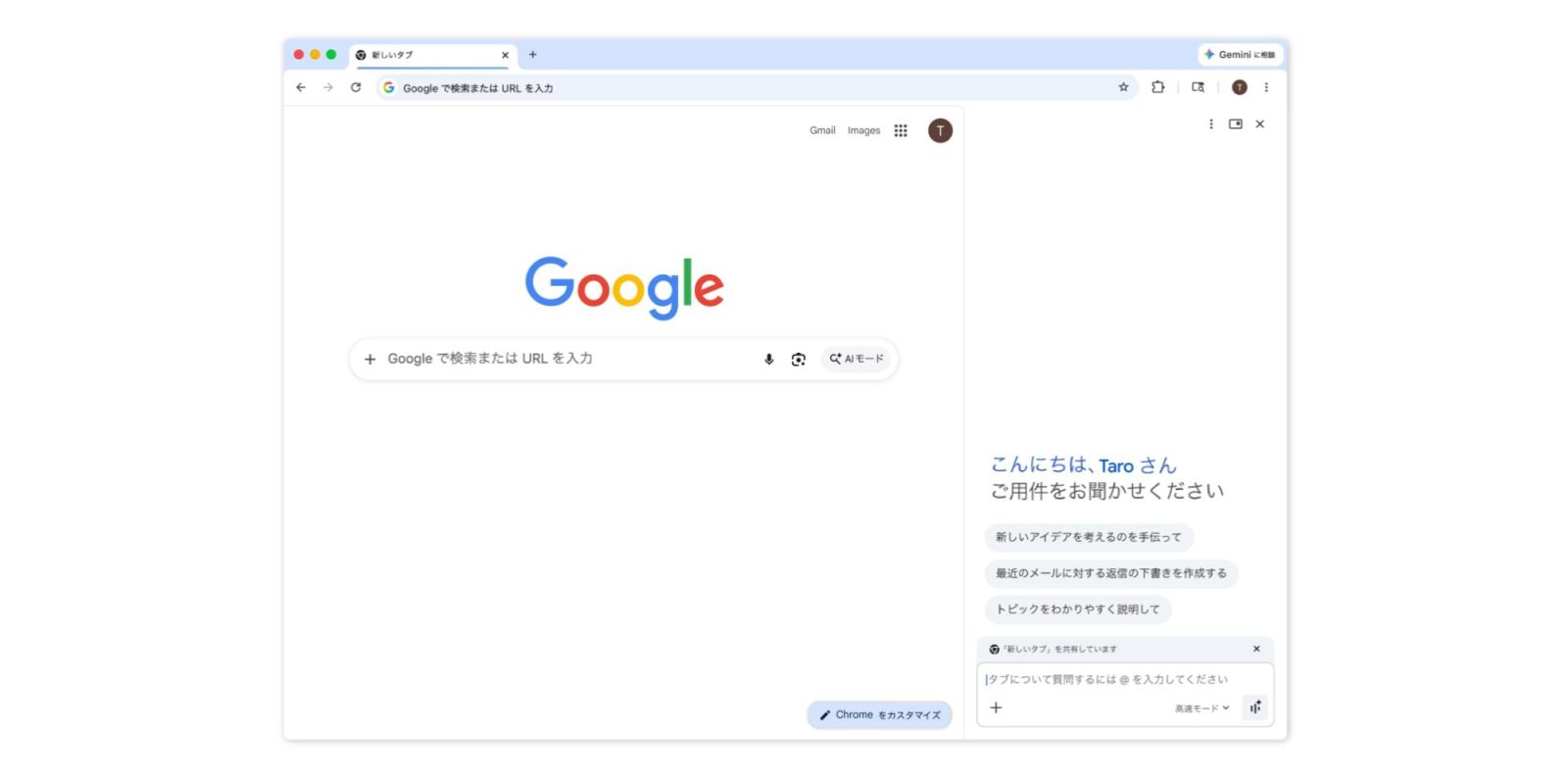
Gemini in Chrome is designed to enhance user experience by providing AI-driven assistance directly within the browser. Users can access Gemini through the top-right corner of the Chrome window, via keyboard shortcuts, the Mac menu bar, or the Windows system tray. Once activated, Gemini opens as a side panel or a floating window, offering a range of functionalities:
– Content Summarization and Comparison: Gemini can summarize lengthy articles and compare information across multiple tabs, streamlining research and information gathering.
– Integration with Google Services: The AI assistant seamlessly integrates with Google Calendar, Maps, and Gmail, allowing users to schedule meetings, check location details, and draft and send emails without leaving the browser.
– YouTube Video Assistance: Users can ask questions about YouTube videos, enhancing the viewing experience by providing additional context or information.
– Image Transformation: With Nano Banana 2 capabilities, Gemini enables users to transform images on the web using text prompts directly within the side panel.
– Personalized Responses: Leveraging Personal Intelligence, Gemini remembers context from past conversations, delivering tailored answers and improving the relevance of information provided.
The expansion to the Asia Pacific region signifies Google’s commitment to making AI tools more accessible globally. By integrating Gemini directly into Chrome, users can enjoy a more efficient and interactive browsing experience, with AI assistance readily available to enhance productivity and engagement.
For desktop users on Mac, Windows, and Chromebook Plus, Gemini can be launched from the top-right corner of the browser window. On iOS devices, the feature is accessible from the left of the address bar, though it is not yet available in Japan. Users can customize their experience by navigating to Chrome Settings > AI innovations > Gemini in Chrome.
This rollout is part of a broader trend of integrating AI into everyday tools, reflecting the growing importance of artificial intelligence in enhancing user experiences across various platforms.