Google Introduces Desktop App for Windows Users
Google has officially launched the Google app for desktop, bringing the power of Google Search directly to Windows desktops worldwide. This new application is designed to enhance user productivity by integrating web search capabilities with local file and application searches, offering a seamless and efficient experience.
Key Features:
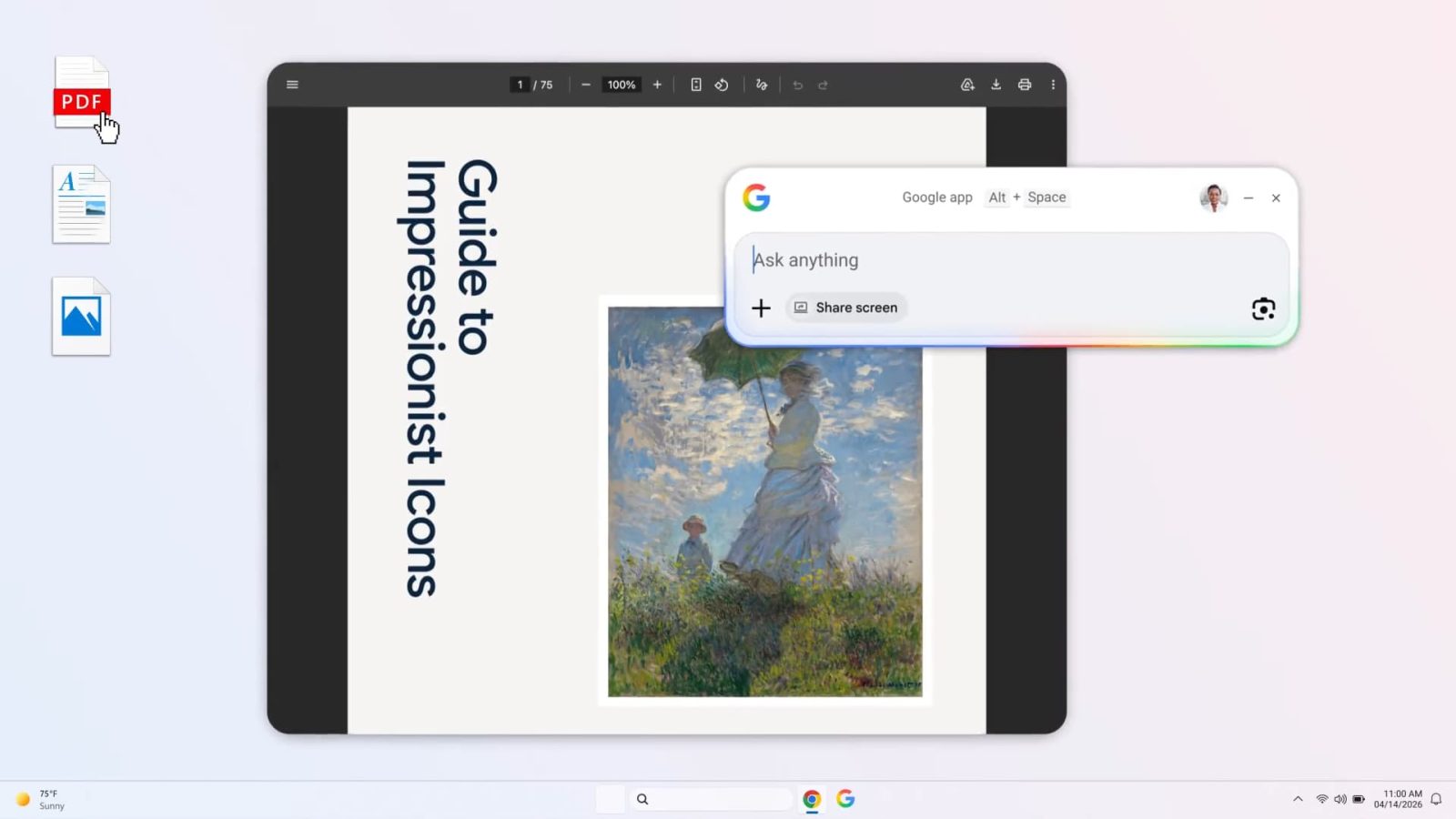
– Unified Search Experience: By pressing the Alt + Space keyboard shortcut, users can access a search box that allows them to search the web, Google Drive, local files, and installed applications. This functionality mirrors the convenience of macOS’s Spotlight feature, providing a centralized hub for all search needs.
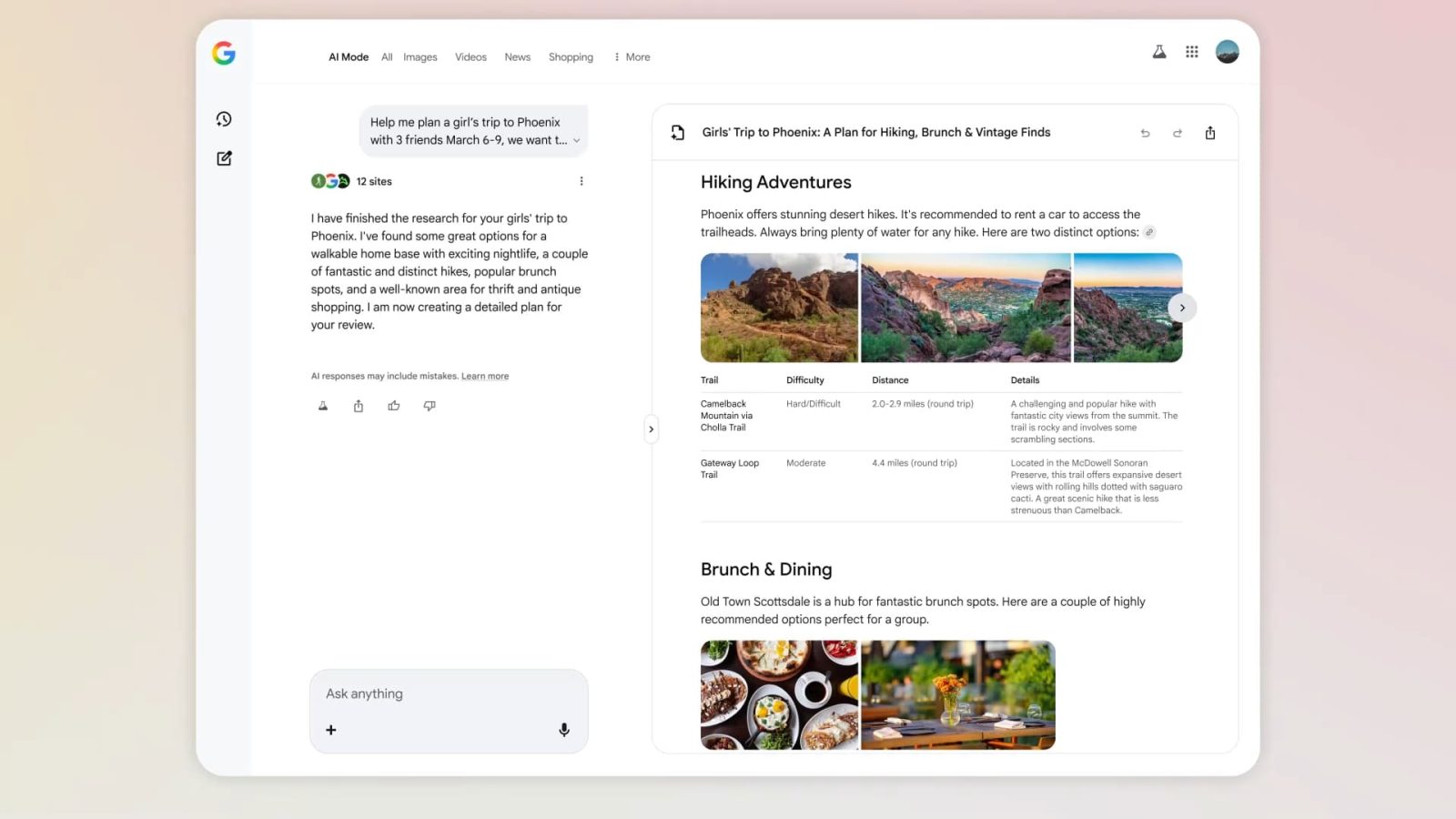
– AI-Powered Search: The app includes an AI Mode that leverages advanced artificial intelligence to enhance search results. Users can utilize Google Lens for specific searches, translate text and images, receive homework assistance, and more, all within the application.
– Contextual Screen Sharing: Users have the option to share their entire screen or specific windows to ask contextual questions, facilitating a more interactive and responsive search experience.
– Consistent User Interface: The search results are displayed in a floating window, allowing for follow-up prompts and interactions. The user interface is designed to align closely with the mobile Google Search experience, ensuring familiarity and ease of use.
Availability:
The Google app is now available for download on Windows 10 and newer versions, supporting English language users globally. Previously, access to the app required a Google Labs sign-up, but it is now open to all users. To download the app, visit [search.google/google-app/desktop](https://search.google/google-app/desktop).
Context and Implications:
This release marks a significant step for Google, as the company traditionally focuses on browser-based applications and Progressive Web Apps (PWAs) rather than native desktop applications. The introduction of the Google app for desktop indicates a strategic move to integrate more deeply into the Windows operating system, providing users with a more cohesive and efficient search experience.
The app’s functionality extends beyond traditional web search by incorporating local file and application searches, effectively bridging the gap between online and offline content. This integration is particularly beneficial for users who rely on both web-based and local resources for their daily tasks.
Furthermore, the inclusion of AI-powered features such as Google Lens and contextual screen sharing demonstrates Google’s commitment to enhancing user interactions through advanced technologies. These features not only streamline the search process but also offer innovative solutions for tasks like translation and educational assistance.
Comparison to Existing Features:
The Google app for desktop draws parallels to existing features like macOS’s Spotlight, which allows users to search for files, applications, and web content from a single interface. By introducing similar functionality to Windows, Google aims to provide a comparable level of convenience and efficiency to a broader user base.
Additionally, the app’s AI Mode and integration with Google Lens offer functionalities that are reminiscent of features found in Google’s mobile applications. This consistency across platforms ensures that users have a unified experience, whether they are on a mobile device or a desktop computer.
Future Prospects:
While the current release is exclusive to Windows, there is potential for expansion to other operating systems. Reports indicate that Google’s Gemini team is working on a similar application for macOS, suggesting that the company is exploring opportunities to extend this functionality to a wider audience.
The launch of the Google app for desktop also raises questions about the future of desktop applications within Google’s ecosystem. Historically, Google has favored web-based solutions, but this move indicates a possible shift towards developing more native applications to meet user demands for integrated and efficient tools.
Conclusion:
The introduction of the Google app for desktop represents a significant advancement in integrating Google’s powerful search capabilities directly into the Windows operating system. By combining web search with local file and application searches, and enhancing the experience with AI-powered features, Google is providing users with a comprehensive and efficient tool to navigate both online and offline content. As the app becomes widely adopted, it is poised to become an essential component of the Windows user experience, reflecting Google’s ongoing commitment to innovation and user-centric design.