Beware: Malicious ‘ChatGPT Ad Blocker’ Chrome Extension Steals User Conversations
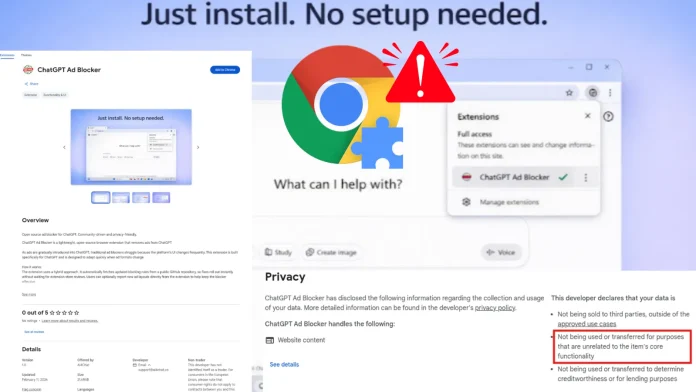
As OpenAI introduces advertisements to its free ChatGPT service, cybercriminals are exploiting this development by distributing a deceptive Chrome extension named ChatGPT Ad Blocker. While it purports to eliminate ads, its true function is to clandestinely capture and transmit users’ private ChatGPT conversations to a concealed Discord channel.
Deceptive Functionality
Upon installation from the Chrome Web Store, the ChatGPT Ad Blocker extension initiates a covert monitoring mechanism. It establishes an alarm that, every 60 minutes, retrieves a remote configuration file from a GitHub repository. This process bypasses the browser’s cache, enabling the attacker to modify the extension’s behavior remotely without alerting the user.
Notably, the extension’s advertised ad-blocking features are entirely non-functional. Instead, when a user accesses the ChatGPT website, the extension injects a malicious script that duplicates the page, removes its styling, and secretly captures all textual content. The harvested data is then compiled into a file named `page_dump.html` and sent to a private Discord webhook managed by a bot called Captain Hook. This process grants the attacker immediate access to users’ prompts, conversation histories, and account metadata.
Developer Profile and Associated Risks
The extension is linked to a developer alias krittinkalra, associated with a GitHub account established around 2014. The account’s activity indicates a suspicious timeline: after focusing on Android kernel development until 2020, it remained inactive for over five years before reemerging with a sudden shift to creating JavaScript-based malware.
This developer persona is also publicly connected to two active AI services: AI4ChatCo and Writecream. These platforms claim to serve millions of users, offering chatbot integration and automated marketing content. The discovery of this data-harvesting Chrome extension raises concerns that similar data theft could occur through these related applications.
Protective Measures
To safeguard your privacy and secure your AI interactions, consider the following security practices:
– Exercise Caution with Extensions: Be wary of extensions that promise to block ads on high-value sites. Scrutinize the permissions they request and verify their legitimacy before installation.
– Assess Affiliated Platforms: Treat platforms like AI4ChatCo and Writecream as potentially compromised until comprehensive security audits confirm their safety.
– Avoid Unofficial Intermediaries: Steer clear of third-party AI intermediaries, resellers, or browser add-ons, as they may have the capability to read or modify private conversations without your knowledge.
By adhering to these guidelines, users can better protect themselves from malicious extensions and ensure the confidentiality of their online interactions.