Apple’s watchOS 26.4 Enhances Workout App for Seamless Fitness Tracking
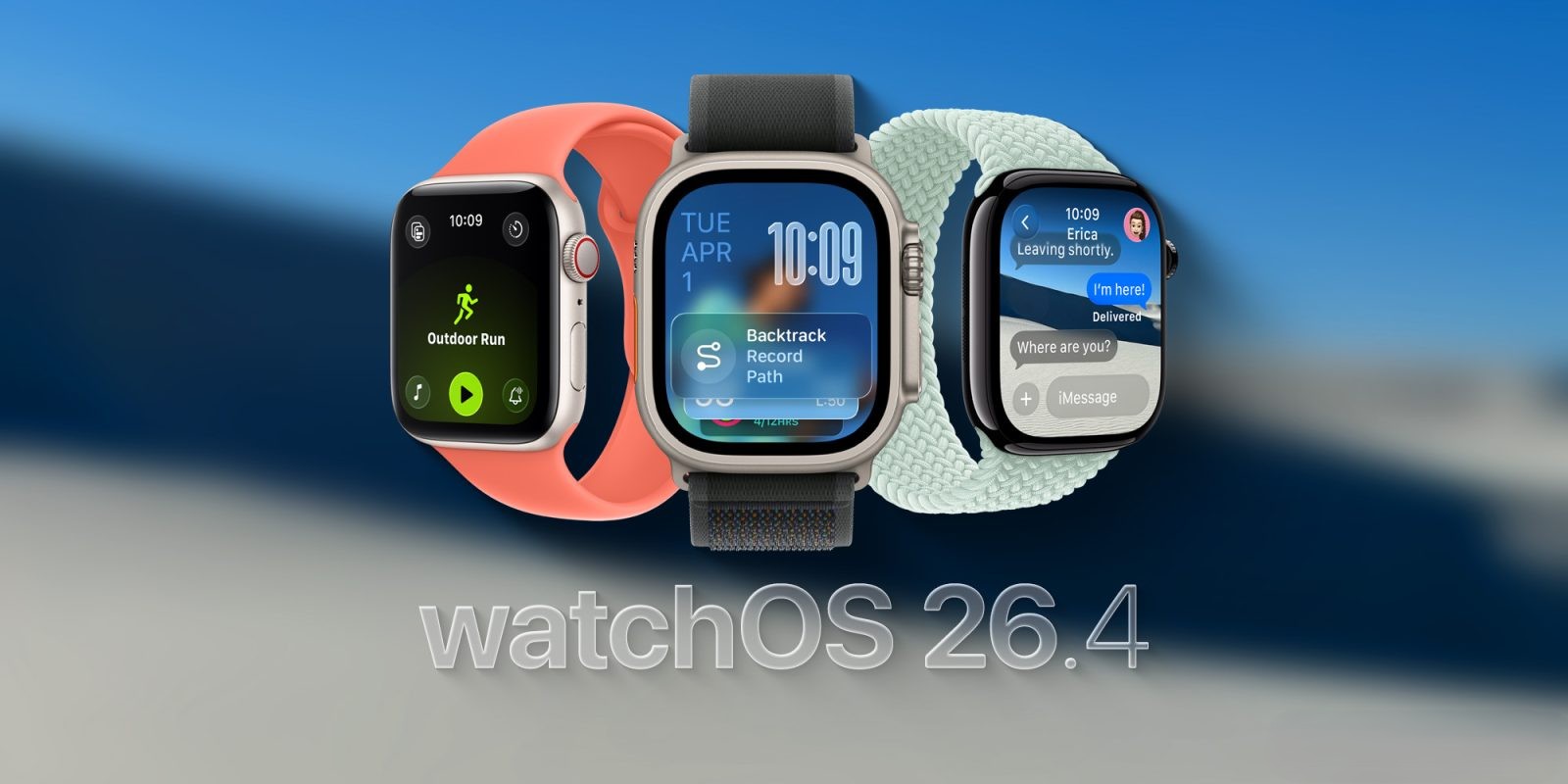
Apple has released watchOS 26.4, introducing significant improvements to the Apple Watch’s Workout app. This update addresses user feedback by streamlining the workout initiation process, enhancing the overall fitness tracking experience.
Streamlined Workout Initiation
In previous versions, starting a workout required multiple interactions, which some users found cumbersome. The redesigned interface in watchOS 26 introduced a scrollable list of workout types, but tapping the workout icon did not immediately start the session. Instead, users had to tap a Play button, adding an extra step to the process.
With watchOS 26.4, Apple has refined this experience. Now, tapping the workout type icon directly initiates the workout, eliminating unnecessary steps and aligning with user expectations. This change enhances the app’s intuitiveness and responsiveness, making it easier for users to begin their workouts promptly.
Enhanced User Experience
The update also brings a more cohesive design to the Workout app. By allowing the workout icon and label to function as start buttons, Apple has simplified the interface, reducing confusion and improving usability. This adjustment caters to users’ muscle memory and provides a more seamless interaction with the app.
Additional Features in watchOS 26
Beyond the Workout app enhancements, watchOS 26 introduces several new features aimed at improving the overall Apple Watch experience:
– Workout Buddy: An AI-powered fitness coach that offers real-time, personalized feedback during workouts. Utilizing Apple Intelligence, Workout Buddy analyzes workout data and provides motivational insights, such as progress updates and milestone achievements. This feature is available for various workout types, including running, walking, cycling, and strength training. ([apple.com](https://www.apple.com/sn/newsroom/2025/06/watchos-26-delivers-more-personalized-ways-to-stay-active-and-connected/?utm_source=openai))
– Redesigned Workout App Layout: The Workout app now features four corner buttons for quick access to metrics, custom workouts, media controls, and alerts. This layout simplifies navigation and customization, allowing users to tailor their workout sessions more efficiently. ([support.apple.com](https://support.apple.com/en-uz/123002?utm_source=openai))
– Integrated Media Experience: Apple Music can now automatically select playlists based on the workout type and user preferences. Additionally, users receive suggestions for playlists or podcasts based on their recent listening history during specific workout types, enhancing the overall exercise experience. ([support.apple.com](https://support.apple.com/en-uz/123002?utm_source=openai))
– Notes App on Apple Watch: The introduction of the Notes app allows users to access, create, and manage notes directly from their wrist. Features include pinning and unlocking notes, completing checklist items, and creating new notes using Siri, dictation, or the keyboard. ([support.apple.com](https://support.apple.com/en-uz/123002?utm_source=openai))
– Wrist Flick Gesture: A new one-handed gesture enables users to dismiss notifications, mute incoming calls, silence timers and alarms, or return to the watch face by flicking their wrist. This feature is available on Apple Watch Series 9 and later models. ([support.apple.com](https://support.apple.com/en-uz/123002?utm_source=openai))
Developer Beta and Public Release
Apple has made watchOS 26.4 available to developers through its beta program. Developers can install the beta by updating their paired iPhone and following the standard update process. The public release of watchOS 26.4 is expected in the coming weeks, bringing these enhancements to all Apple Watch users. ([macobserver.com](https://www.macobserver.com/news/watchos-26-4-beta-2-now-rolling-out-to-developers/?utm_source=openai))
Conclusion
The watchOS 26.4 update demonstrates Apple’s commitment to refining user experiences based on feedback. By streamlining the Workout app’s interface and introducing features like Workout Buddy and integrated media controls, Apple continues to enhance the Apple Watch as a comprehensive fitness and productivity tool.