Enhancing Your Commute: Google Pixel’s New ‘Transit Mode’ and Real-Time Updates
Google has unveiled two significant features aimed at improving the commuting experience for Pixel phone users: the ‘Transit Mode’ and real-time commute updates via the ‘At a Glance’ widget. These additions, part of the March 2026 Feature Drop, are designed to provide personalized settings and timely information to streamline daily travel.
Real-Time Commute Updates with ‘At a Glance’
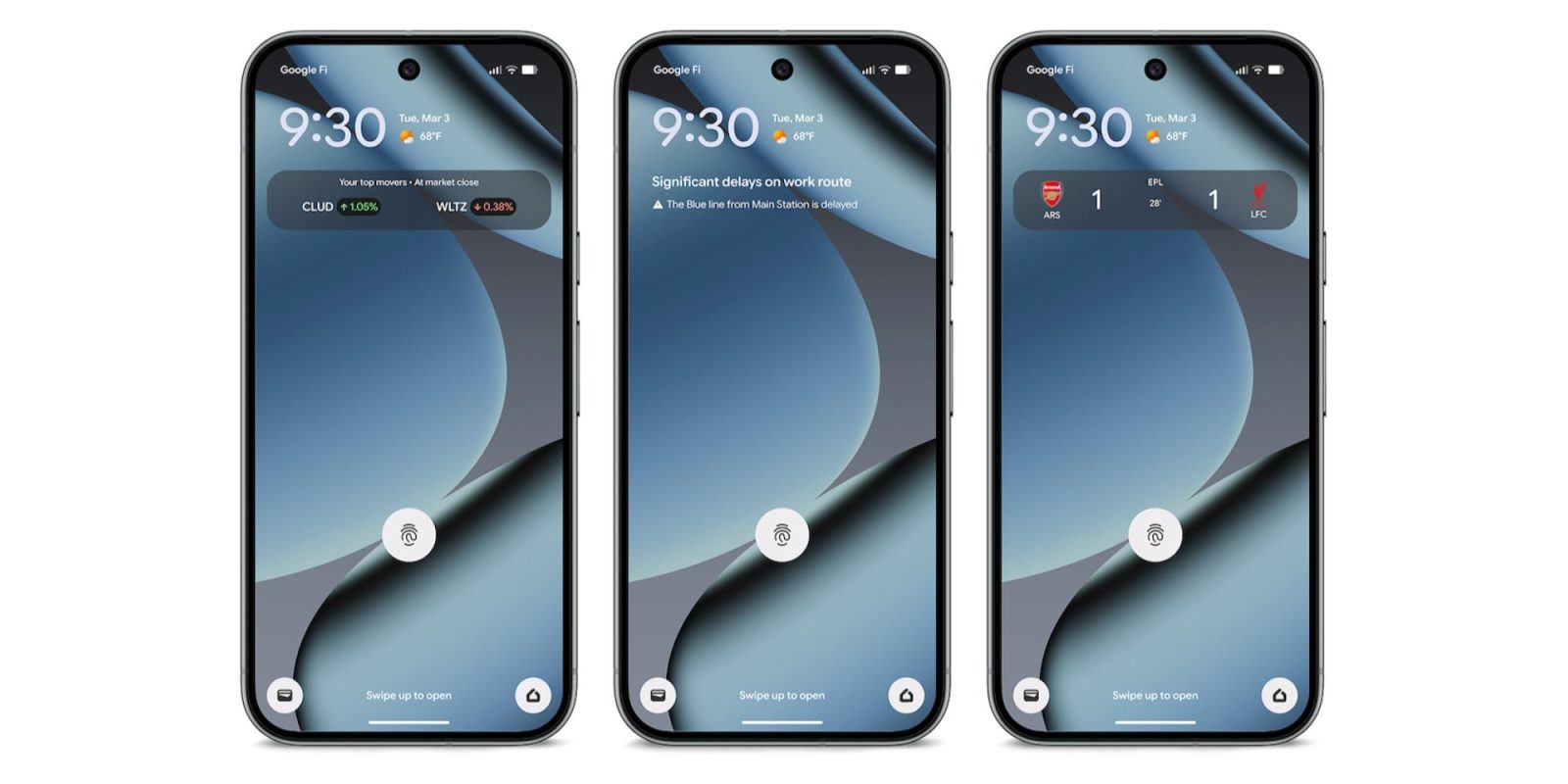
The ‘At a Glance’ widget now offers real-time updates on commute conditions directly on your lock and home screens. For instance, if there’s a significant delay on your usual route, a notification like Significant delays on work route will appear, accompanied by specific details such as The Blue line from Main Station is delayed. This enhancement builds upon the existing ‘Commute’ feature, which previously displayed traffic information and estimated travel times.
Introducing ‘Transit Mode’
‘Transit Mode’ is a personalized feature that activates specific settings while you’re on public transportation. Integrated into the Modes feature—alongside ‘Do Not Disturb’ and ‘Driving’ modes—’Transit Mode’ allows users to customize their device’s behavior during commutes. Available options include:
– Sound Settings: Choose between ‘Sound on,’ ‘Vibrate only,’ or ‘Silent’ to manage volume during transit.
– Connectivity Preferences: Toggle ‘Use Bluetooth while commuting’ on or off to control Bluetooth usage.
– Notification Management: Decide whether to receive all notifications by turning on ‘Allow all notifications.’
– People Notifications: Select specific contacts who can send you notifications during transit.
– App Notifications: Determine which apps are permitted to send notifications.
– Alarms and Interruptions: Specify which alarms and other interruptions are allowed.
Setting Up ‘Transit Mode’ and Commute Alerts
To configure ‘Transit Mode’ and enable commute alerts through the Modes menu, follow these steps:
1. Access Settings: Navigate to Settings > Modes > Transit.
2. App Settings: Tap on ‘App Settings’ and select ‘Set up commute notifications.’
3. Configure Commute Details: You’ll be prompted to:
– Set Home and Work Locations: Input your home and work addresses.
– Confirm Location Settings: Ensure that location services are enabled for accurate tracking.
– Build Your Commute Profile: Allow Google Maps to learn your commute patterns, which may take 2–3 weeks after the initial setup.
It’s important to note that ‘Transit Mode’ and real-time transit information on ‘At a Glance’ are available on Pixel 7 and newer devices, excluding the Pixel Tablet. These features are accessible globally, except in Europe and the UK, and require a connection to your Google account and Google Maps.
Additional Features Enhancing the Commuting Experience
Beyond ‘Transit Mode’ and real-time updates, Google has introduced several features to further assist commuters:
– Google Wallet’s Transit Verification Settings: In November 2024, Google Wallet reintroduced verification settings for transit payments, allowing users to choose whether to verify their identity before paying for public transportation. This feature enhances security and convenience during commutes.
– ‘Heads Up’ Mode Expansion: Originally exclusive to Pixel devices, the ‘Heads Up’ mode expanded to all Android 9+ devices in September 2021. This safety-focused feature reminds users to stay alert when walking and using their phones, promoting safer commuting habits.
– Google Maps Power Saving Mode: In November 2025, Google Maps introduced a Power Saving mode for the Pixel 10 series. This feature provides a simplified, black-and-white layout during navigation, conserving battery life—a valuable addition for commuters relying on their devices throughout the day.
– Google Maps Wear OS Tile Update: In April 2024, Google Maps updated its Wear OS Tile to include a direct map shortcut, offering quick access to navigation and transit information from smartwatches—a convenient tool for commuters on the go.
– Pixel Watch Camera App Enhancements: In February 2024, the Pixel Watch Camera app was updated to allow users to switch between various photo and video modes directly from their smartwatch. This feature enables commuters to capture moments effortlessly during their journeys.
– Pixel’s Bedtime Mode Integration with Google Home: Announced in May 2024, Pixel’s Bedtime mode is set to integrate with Google Home, allowing users to control smart home devices like lights and locks when activating Bedtime mode. This integration offers commuters a seamless transition from their commute to home life.
Conclusion
Google’s introduction of ‘Transit Mode’ and real-time commute updates, along with other commuter-friendly features, underscores the company’s commitment to enhancing the daily travel experience for Pixel users. By providing personalized settings and timely information, these tools aim to make commuting more efficient and less stressful.