macOS Tahoe 26.4 Brings Vibrant MacBook Neo Wallpapers to All Macs
Apple’s latest update, macOS Tahoe 26.4, introduces a delightful enhancement for Mac users: the inclusion of the vibrant wallpapers initially showcased with the MacBook Neo. This means that regardless of your Mac model, you can now adorn your desktop with these dynamic designs.
A Closer Look at the New Wallpapers
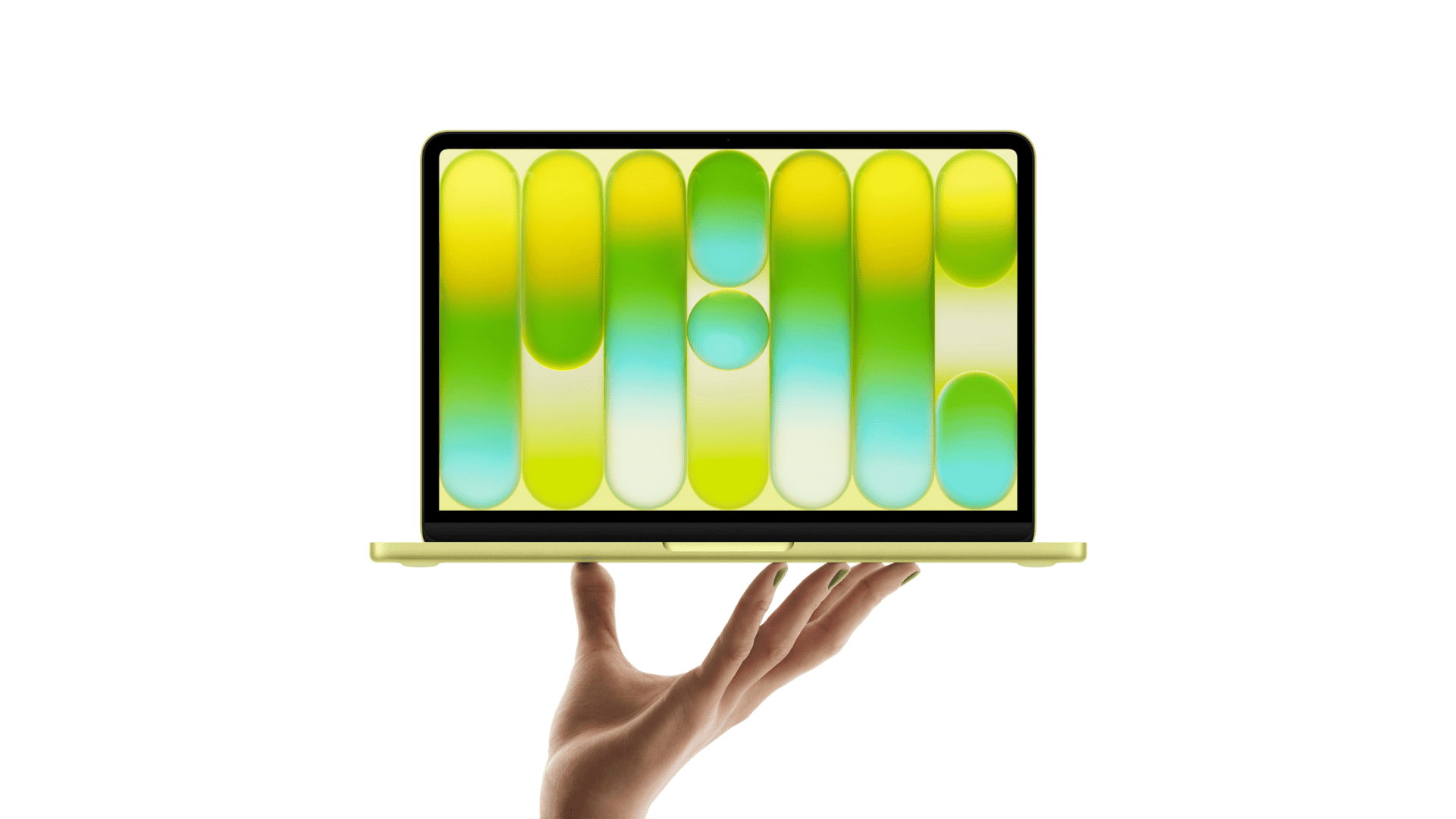
The MacBook Neo’s promotional campaign featured four distinctive wallpapers, each characterized by bubble-shaped lines and bright gradients that spell out the word Mac. These designs are available in four captivating color options:
– Mac Purple: A rich, deep hue that adds a touch of elegance.
– Mac Blue: A serene shade reminiscent of clear skies.
– Mac Pink: A lively tone that brings warmth and energy.
– Mac Yellow: A bright, cheerful color that illuminates your screen.
These wallpapers are now integrated directly into the system settings of macOS Tahoe 26.4, allowing users to easily select and apply them without the need for manual downloads or third-party applications.
Accessing the New Wallpapers
To explore and set these new wallpapers:
1. Open System Settings: Click on the Apple menu and select System Settings.
2. Navigate to Wallpaper: In the sidebar, click on Wallpaper.
3. Browse the Pictures Section: Scroll down to the Pictures section where you’ll find the four new Mac wallpapers.
From here, you can preview each design and choose the one that best suits your aesthetic preferences.
Additional Enhancements in macOS Tahoe 26.4
Beyond the introduction of new wallpapers, macOS Tahoe 26.4 brings several other noteworthy updates:
– Expanded Emoji Library: The update adds a variety of new emojis, including:
– Trombone
– Treasure chest
– Distorted face
– Hairy creature
– Fight cloud
– Orca
– Landslide
These additions enrich the communication experience, allowing users to express themselves more vividly.
– Restoration of the Compact Tab Bar in Safari: Responding to user feedback, Apple has reinstated the compact tab bar option in Safari. This feature consolidates tabs and the address bar into a single row, optimizing screen space and enhancing browsing efficiency. Users can toggle between the compact and separate tab bar layouts based on their preferences.
– Rosetta Alert for Intel App Support: With the ongoing transition to Apple silicon, macOS 26.4 introduces a warning pop-up for apps relying on Rosetta 2. This alert informs users that support for Intel-based applications will conclude with macOS 27, encouraging them to seek native Apple silicon versions or alternatives.
Embracing a Unified Aesthetic
Apple’s decision to make the MacBook Neo wallpapers available across all Mac models underscores the company’s commitment to a cohesive user experience. By sharing these designs, Apple ensures that all users, regardless of their device, can enjoy the latest visual enhancements.
Looking Ahead
Currently, macOS Tahoe 26.4 is in its beta phase, with a broader public release anticipated later this spring. Users eager to experience these new features can participate in the beta program, keeping in mind the potential for minor bugs and instabilities typical of pre-release software.
Conclusion
The macOS Tahoe 26.4 update brings a refreshing visual upgrade to all Mac users by introducing the vibrant MacBook Neo wallpapers. Coupled with other enhancements like new emojis and the return of the compact tab bar in Safari, this update reflects Apple’s dedication to refining and enriching the macOS experience.