Download the Stunning New MacBook Neo Wallpapers Now
Apple’s latest innovation, the MacBook Neo, has captivated tech enthusiasts with its sleek design and powerful features. Complementing its aesthetic appeal are the newly introduced default wallpapers, meticulously crafted to enhance the visual experience of users. If you’re eager to adorn your device with these captivating backgrounds, you’re in luck. Here’s how you can download and set up the new MacBook Neo wallpapers on your device.
Discover the Hidden Message
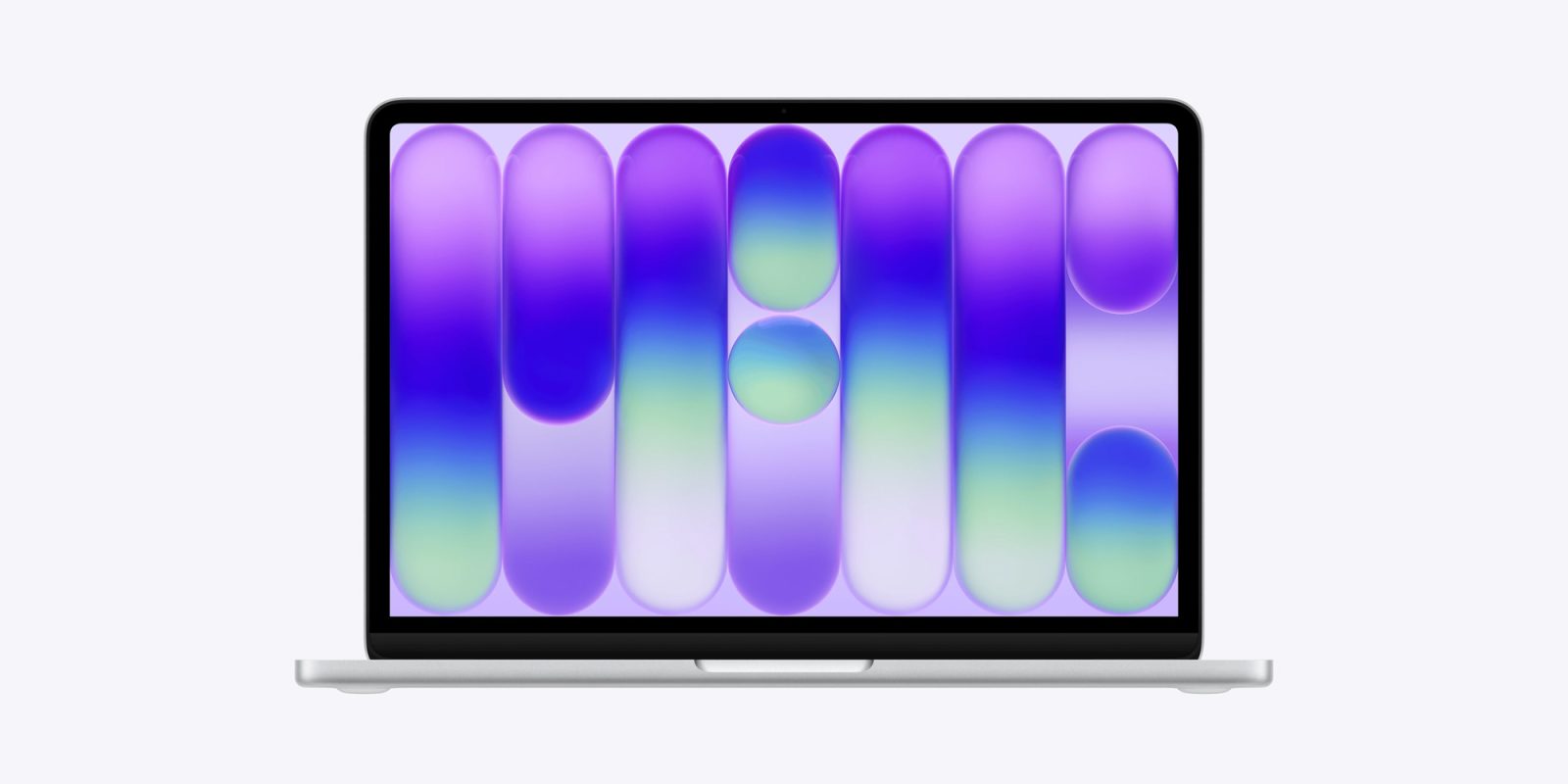
One of the intriguing aspects of the MacBook Neo’s default wallpaper is its subtle design elements. Upon closer inspection, users have noticed that the abstract patterns cleverly spell out the word Neo. This artistic touch adds a layer of sophistication and personalization to the user experience, reflecting Apple’s attention to detail and design prowess.
Accessing the High-Resolution Wallpapers
For those who appreciate high-quality visuals, obtaining the high-resolution versions of these wallpapers is straightforward. The default image for the Silver model has been made available, allowing users to experience the crisp and vibrant design in its full glory. Additionally, renowned designer Basic Apple Guy has curated a comprehensive gallery featuring the complete set of MacBook Neo wallpapers. These images have been upscaled from Apple’s USDZ files, which are utilized for the new Macs’ augmented reality previews, ensuring that users have access to the highest quality versions available.
Setting Up the Wallpaper on Your Mac
Once you’ve downloaded your preferred wallpaper, setting it as your desktop background is a simple process. Follow these steps to personalize your Mac with the new MacBook Neo wallpaper:
1. Open System Settings: Click on the Apple menu at the top-left corner of your screen and select System Settings.
2. Navigate to Wallpaper Settings: In the sidebar, click on Wallpaper. If you don’t see it immediately, you may need to scroll down.
3. Add the New Wallpaper: Scroll down to the Your Photos section and click the Add Photo button.
4. Select the Image File: Choose File, navigate to the location where you saved the downloaded wallpaper, select the file, and click Open.
Alternatively, you can set the wallpaper directly from the Finder:
– Control-Click Method: Locate the downloaded image file in Finder, control-click (or right-click) on it, and select Set Desktop Picture.
– Drag and Drop Method: Drag the image file from its location and drop it onto the desktop; it will automatically set as your wallpaper.
Enhancing Your Device’s Aesthetic
The MacBook Neo’s wallpapers are designed to complement the device’s sleek design and vibrant display. By setting these wallpapers as your background, you can enhance your device’s aesthetic appeal and enjoy a more personalized user experience. Whether you prefer the subtle elegance of the Silver model’s wallpaper or the dynamic designs available in the full set, there’s a wallpaper to suit every taste.
Engage with the Community
Apple’s design choices often spark discussions and insights within the tech community. Have you noticed any other hidden elements or design nuances in the MacBook Neo’s wallpapers? Share your observations and join the conversation with fellow enthusiasts. Engaging with the community can provide new perspectives and deepen your appreciation for the intricate details that Apple incorporates into its products.
Conclusion
The MacBook Neo’s new wallpapers are more than just background images; they are a testament to Apple’s commitment to design excellence and user personalization. By downloading and setting these wallpapers on your device, you can enjoy a fresh and visually appealing interface that reflects the innovative spirit of the MacBook Neo. Don’t miss out on this opportunity to elevate your device’s look—download the new MacBook Neo wallpapers today and experience the blend of art and technology that Apple is renowned for.