How Your Spam Reports Strengthen Apple’s Security Measures
In the digital age, spam messages have become a pervasive nuisance, infiltrating our inboxes and messaging apps with unwanted content. Apple users often encounter these unsolicited communications and are prompted to report them. However, many users question the efficacy of these reporting features, suspecting that their efforts may be in vain. This skepticism largely arises from a lack of transparency regarding how Apple utilizes these reports to enhance its security infrastructure.
The Importance of Reporting Spam
When you report a suspicious email, message, or FaceTime call, you’re not merely flagging an annoyance; you’re contributing valuable data that Apple leverages to fortify its defenses against malicious activities. This collective intelligence plays a crucial role in safeguarding the broader user community.
Enhancing Mail Filters
By moving an email to the Junk folder in your iCloud account, you actively participate in training Apple’s server-side machine learning algorithms. These systems analyze patterns such as email headers, keywords, and sender IP addresses to identify and block similar spam messages in the future. It’s important to note that opening suspected junk mail can inadvertently signal to spammers that your email account is active, potentially leading to more spam. Therefore, it’s advisable to mark such emails as junk without opening them.
Domain Takedowns
When multiple users report the same sender or domain, Apple can flag it internally and collaborate with domain registrars to dismantle malicious domains. This collective reporting creates a robust defense mechanism, making it more challenging for spammers to exploit Apple’s ecosystem.
iMessage and FaceTime Filtering
Reports made through iMessage and FaceTime feed directly into Apple’s security pipeline. Flagged numbers and accounts can be blocked at the network level, effectively preventing bad actors from reaching other users. This proactive approach helps maintain the integrity of Apple’s communication platforms.
The Evolution of Apple’s Anti-Spam Measures
Apple has continually refined its strategies to combat spam and enhance user security. In 2013, the company introduced an iMessage spam reporting system, allowing users to report unwanted messages by sending an email with specific details to [email protected]. This initiative enabled Apple to investigate and take action against offending accounts. ([9to5mac.com](https://9to5mac.com/2013/07/30/apple-introduces-imessage-spam-reporting/?utm_source=openai))
Over the years, Apple has expanded its anti-spam features. In iOS 13, the Silence Unknown Callers feature was introduced, utilizing Siri intelligence to automatically send calls from unknown numbers directly to voicemail. This feature helps users avoid potential spam calls without any manual intervention. ([9to5mac.com](https://9to5mac.com/2019/06/03/ios-13-silence-spam-callers/?utm_source=openai))
In 2025, Apple enhanced the Messages app in iOS 26 to make it harder for users to fall for phishing scams. Messages from unknown senders are automatically marked as spam, and links within these messages are disabled, preventing users from inadvertently accessing malicious websites. Additionally, users cannot reply to messages in the Spam folder, reducing the risk of engaging with potential scammers. ([9to5mac.com](https://9to5mac.com/2025/07/23/messages-on-ios-26-will-make-it-harder-to-fall-for-phishing-scams/?utm_source=openai))
The Role of Third-Party Apps
Third-party applications like Truecaller have also played a significant role in combating spam. In 2025, with the release of iOS 18.2, Apple introduced a new API that allowed apps like Truecaller to perform real-time spam and scam blocking. This update enabled Truecaller to automatically block known spammers and provide users with more accurate caller identification. ([9to5mac.com](https://9to5mac.com/2025/01/22/ios-18-2-enables-real-time-spam-and-scam-blocking-in-truecaller-app/?utm_source=openai))
The Impact of User Reports
User reports are instrumental in Apple’s ongoing battle against spam. By reporting spam messages, users contribute to a collective effort that enhances the security of the entire Apple ecosystem. These reports enable Apple to identify new spam trends, update filters, and take action against malicious actors.
How to Report Spam to Apple
Apple provides several avenues for users to report spam:
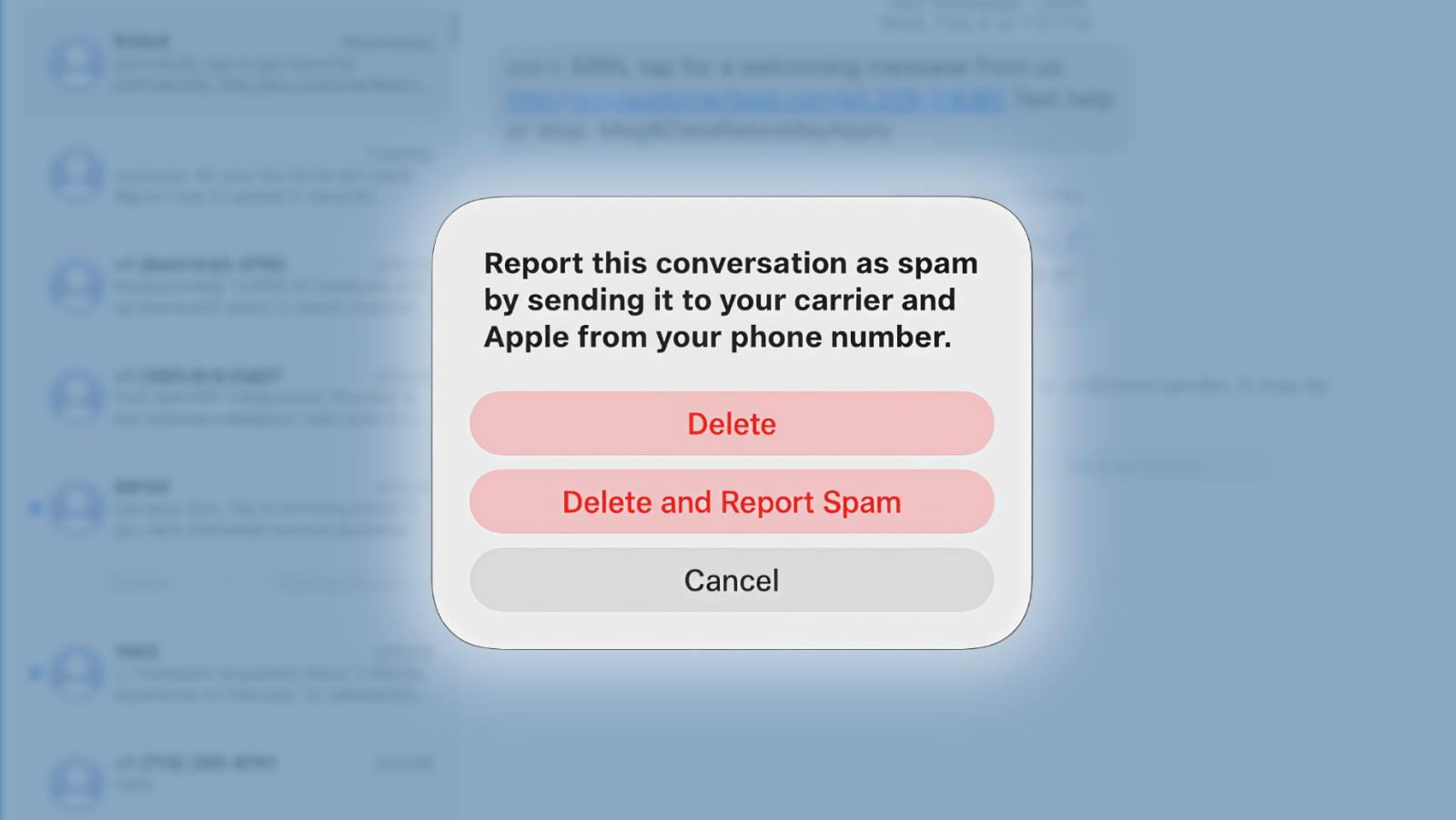
– iMessage: If you receive an unwanted iMessage from someone not in your contacts, you can tap Report Junk under the message. This action not only deletes the message but also sends the sender’s information to Apple.
– Email: For suspicious emails, you can forward them to [email protected]. This helps Apple investigate and mitigate phishing attempts.
– FaceTime: If you receive a suspicious FaceTime call, you can email a screenshot of the call information to [email protected].
By utilizing these reporting mechanisms, you play a vital role in helping Apple maintain a secure and trustworthy environment for all users.
Conclusion
While it may seem that reporting spam messages has little immediate effect, these reports are crucial for Apple’s ongoing efforts to combat spam and enhance user security. By understanding the processes behind these reporting features and actively participating in them, users can contribute to a safer digital experience for everyone.