Gemini’s Android Overlay Redesign Introduces Comprehensive Tools Menu
Google’s Gemini app has unveiled a significant redesign of its overlay on Android devices, enhancing user accessibility to a suite of creative and research tools directly from the overlay interface.
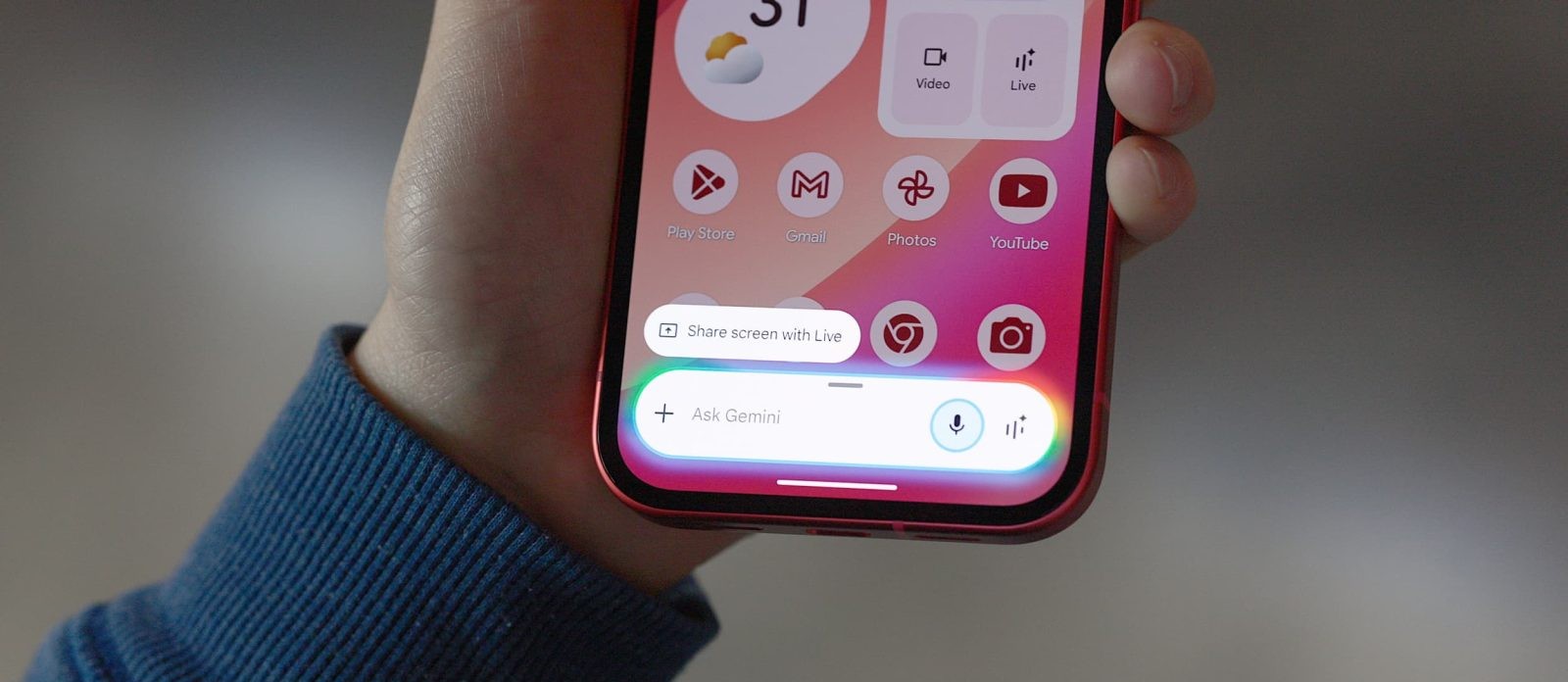
The updated overlay now features a Tools menu, positioned to the right of the existing ‘plus’ icon used for attachments. To accommodate this addition, the Ask Gemini prompt has been centered within the overlay. This integration allows users to seamlessly access various functionalities without navigating away from their current screen.
Upon tapping the Tools menu, users are presented with options to create images, videos, and music, alongside utilities like Canvas, Deep Research, and Guided Learning. Subscribers to Google AI services will also find a Personal Intelligence toggle within this menu. Each tool is accompanied by a brief description to guide users:
– Create Image: Visualize and edit concepts.
– Create Video: Bring ideas to life through video.
– Create Music: Compose music with Gemini’s assistance.
– Canvas: Develop code applications or create documents.
– Deep Research: Obtain detailed reports on various topics.
– Guided Learning: Engage in structured learning experiences.
A notable aspect of this redesign is the dynamic transformation of the overlay. When users begin typing, the overlay morphs from its initial pill shape into a two-line, rounded rectangle, optimizing the interface for text input. This design evolution aligns the overlay’s functionality with the main Gemini app, ensuring a consistent user experience across platforms.
This redesign is currently being rolled out with the latest beta version of the Google app (version 17.7). Availability may vary across different Google Accounts as the update is progressively deployed.
In addition to the overlay enhancements, Google is experimenting with a new floating pill design for Gemini Live, as observed earlier this month. This feature aims to provide users with a more flexible and accessible interface for live interactions.
These updates reflect Google’s ongoing commitment to refining the Gemini app’s user interface, focusing on intuitive design and seamless integration of advanced tools to enhance productivity and creativity for Android users.