Choosing Between iPad Air and iPad Pro: Which Apple Tablet Suits You Best?
Apple’s tablet lineup offers a range of options tailored to diverse user needs, with the iPad Air and iPad Pro standing out as prominent choices. As of February 2026, understanding the distinctions between these models is crucial for making an informed decision. This comprehensive guide delves into their performance, design, display, and real-world applications to assist you in selecting the ideal tablet.
Release and Availability
– iPad Air (M4): Anticipated to launch in early 2026, potentially aligning with Apple’s March 4 event. While it is expected to feature the new M4 chip, specific release dates and availability details remain unconfirmed.
– iPad Pro (M5): Currently available, this model boasts the M5 chip, OLED displays (on larger variants), and advanced ProMotion technology.
Performance: Everyday Tasks vs. Professional Workflows
M4 vs. M5: A Comparative Analysis
Apple’s M4 and M5 chips both utilize a unified architecture and a high-efficiency 3 nm process. However, the M5 chip introduces significant enhancements, particularly in graphics and artificial intelligence (AI) capabilities.
CPU and Architecture
– M4: Constructed on Apple’s second-generation 3 nm process, it offers a balanced mix of performance and efficiency cores, delivering notable improvements over previous iterations.
– M5: Maintains a 10-core design (4 performance cores and 6 efficiency cores) but is built on a more advanced 3 nm node. It is optimized for higher sustained clock speeds, resulting in approximately 15% faster multithreaded performance compared to the M4.
Graphics and GPU
– M4: Equipped with a robust integrated GPU supporting ray tracing and Apple’s Dynamic Caching, it is well-suited for creative workflows and moderate gaming.
– M5: Features a next-generation 10-core GPU with integrated Neural Accelerators in each core. Apple reports a 30-45% increase in graphics performance over the M4, along with significantly enhanced AI-assisted graphics computing.
Neural Engine & AI
– M4: Includes a capable Neural Engine for current machine learning tasks and Apple Intelligence features.
– M5: Offers up to 3.5 times faster AI performance than the M4 in tasks such as on-device image generation, video masking, and handling large local models. This is achieved through a faster Neural Engine and Neural Accelerators integrated into each GPU core.
Memory & Bandwidth
– M4: Provides up to approximately 120 GB/s of unified memory bandwidth.
– M5: Delivers around 153 GB/s (about 30% more), facilitating faster data processing across the CPU, GPU, and Neural Engine, which is essential for intensive AI and professional workflows.
Real-World Impacts
– 3D Rendering: Approximately 1.5 times faster ray-traced 3D rendering compared to the M4 on identical hardware.
– Video Workflows: Around 1.2 times faster video transcoding in applications like Final Cut Pro for iPad compared to the M4.
– AI Tasks: Up to twice as fast in AI image generation and up to 2.3 times faster in AI video upscaling compared to the M4.
Practical Implications
– M4: Ideal for general use, everyday creative work, multitasking, and smooth Apple Intelligence features.
– M5: Excels in compute-heavy workflows, including AI features, 3D tools, extensive video editing, and multi-application professional setups. Its higher memory bandwidth and integrated GPU Neural Accelerators provide a noticeable advantage under sustained workloads.
Design and Build
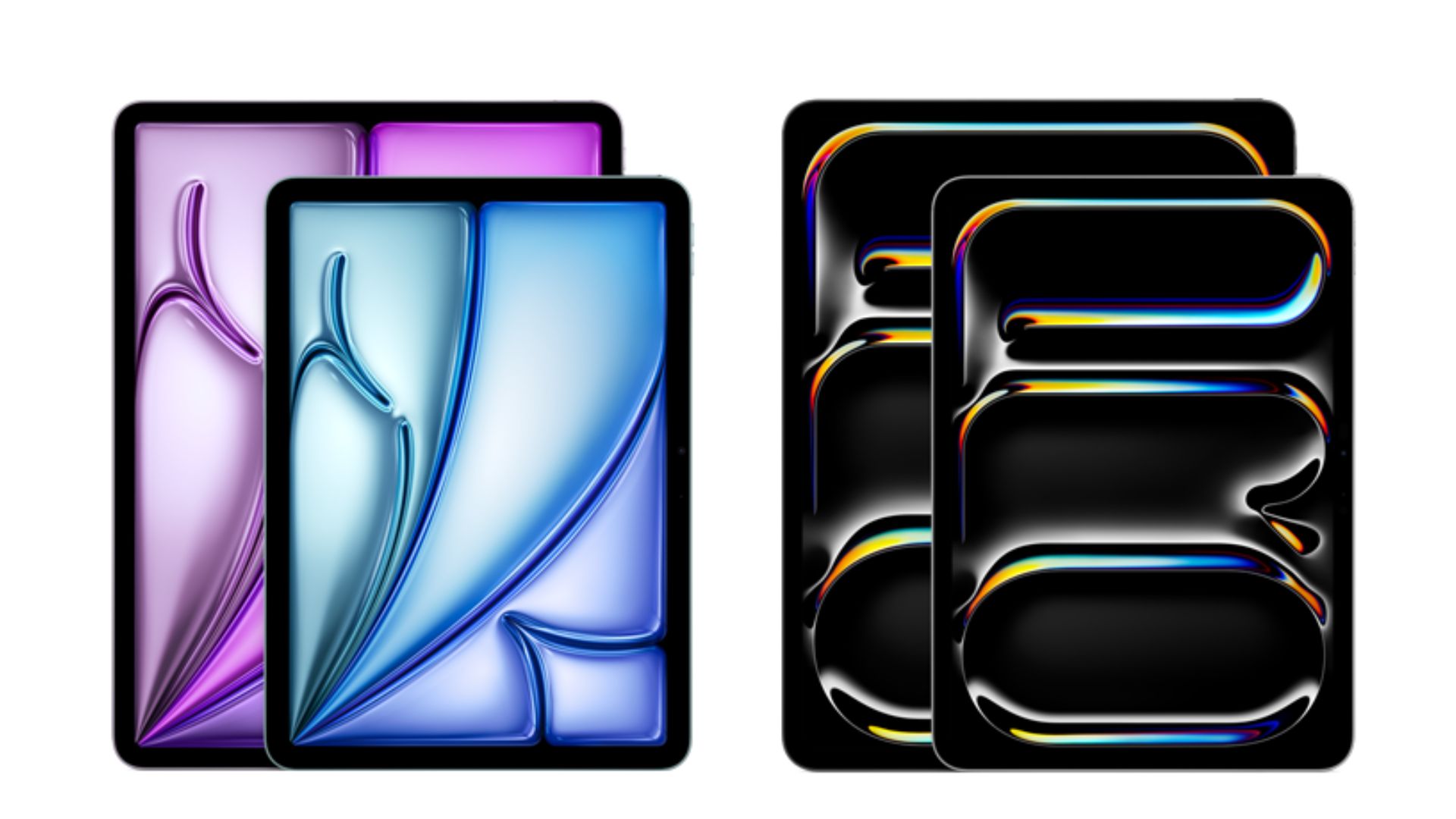
Both the iPad Air and iPad Pro share Apple’s modern design language, characterized by industrial squared-off edges and flat sides. The 10.9-inch iPad Air is nearly identical in size to the 11-inch iPad Pro, resulting in slightly thicker bezels on the Air.
Color Options
– iPad Air: Available in a broader range of colors, including Space Gray, Starlight, Pink, Purple, and Blue.
– iPad Pro: Offered in classic Silver and Space Gray.
Authentication Methods
– iPad Air: Utilizes Touch ID, with a fingerprint scanner embedded in the top button.
– iPad Pro: Employs Face ID, facilitated by the TrueDepth camera system in the top bezel.
Display Quality
Display Sizes and Technologies
– iPad Air: Features a 10.9-inch Liquid Retina display with a resolution of 2360 x 1640 pixels, delivering a pixel density of 264 pixels per inch (ppi). It offers a maximum brightness of 500 nits.
– iPad Pro: Available in 11-inch and 12.9-inch models. The 11-inch model has a Liquid Retina display with a resolution of 2388 x 1668 pixels and a brightness of 600 nits. The 12.9-inch model boasts a Liquid Retina XDR display with a peak brightness of 1600 nits for HDR content.
ProMotion Technology
The iPad Pro models incorporate ProMotion technology, offering a 120Hz variable refresh rate for smoother scrolling and more responsive touch input. This feature is absent in the iPad Air.
Camera Capabilities
Rear Cameras
– iPad Air: Equipped with a 12MP wide camera capable of recording 4K video.
– iPad Pro: Features a 12MP wide camera and a 10MP ultra-wide camera, along with a LiDAR scanner for enhanced augmented reality (AR) experiences.
Front Cameras
– iPad Air: Houses a 12MP front camera with Center Stage, which keeps users centered during video calls.
– iPad Pro: Includes a 12MP TrueDepth front camera with additional features like Portrait mode, Portrait Lighting, and Animoji/Memoji support.
Storage Options
– iPad Air: Offers storage capacities of 128GB, 256GB, 512GB, or 1TB.
– iPad Pro: Provides storage options of 256GB, 512GB, 1TB, or a substantial 2TB.
Battery Life
Both models deliver up to 10 hours of surfing the web on Wi-Fi or watching videos, and up to 9 hours when using cellular data.
Pricing
– iPad Air: Expected to start at $599 for the 11-inch model and $799 for the 13-inch model.
– iPad Pro: Starts at $999 for the 11-inch model and $1,299 for the 13-inch model.
Conclusion
Choosing between the iPad Air and iPad Pro depends on your specific needs and budget:
– iPad Air: Suitable for everyday users, students, and professionals who require a reliable tablet for general tasks, creative applications, and moderate multitasking.
– iPad Pro: Designed for power users and professionals engaged in demanding workflows, such as intensive graphic design, video editing, and AI-driven tasks.
Assess your requirements and consider the features that align with your usage to make the best choice between these two capable devices.