Revitalize Your MacBook with High-Resolution Windows XP Wallpapers
The iconic wallpapers of Windows XP continue to evoke a sense of nostalgia among users, offering serene and minimalist backgrounds that many wish to incorporate into their modern MacBook setups. With the advent of high-resolution Retina displays, selecting the appropriate versions of these classic wallpapers is essential to maintain visual clarity and aesthetic appeal.
Understanding the Appeal of Windows XP Wallpapers
Windows XP’s default wallpapers are renowned for their soft color palettes and straightforward compositions. This design philosophy aligns seamlessly with macOS’s clean interface, particularly on Retina displays where overly intricate or sharp images can become distracting. The enduring popularity of these wallpapers can be attributed to several factors:
– Tranquil Landscapes with Harmonious Colors: The balanced hues and serene scenes provide a calming backdrop conducive to productivity.
– Absence of Overwhelming Visual Elements: The simplicity ensures that desktop icons and widgets remain prominent and easily accessible.
– Visual Comfort During Extended Use: The gentle color schemes are easy on the eyes, reducing strain during prolonged work sessions.
– Compatibility with macOS Themes: These wallpapers complement both the light and dark modes of macOS, enhancing the overall user experience.
Optimal Resolutions for MacBook Displays
To achieve the best visual fidelity, it’s crucial to match the wallpaper resolution with your MacBook’s display specifications. Utilizing images that align with your screen’s native resolution prevents pixelation and preserves image sharpness. Below are the recommended resolutions for various MacBook models:
– MacBook Air and Pro 13-inch: 2560 × 1600 pixels
– MacBook Pro 14-inch: 3024 × 1964 pixels
– MacBook Pro 16-inch: 3456 × 2234 pixels
When sourcing wallpapers, always opt for the highest available resolution and steer clear of compressed JPEG files to maintain image quality.
Curated Selection of Windows XP Wallpapers for MacBook
Here are some classic Windows XP wallpapers that have been optimized for MacBook displays:
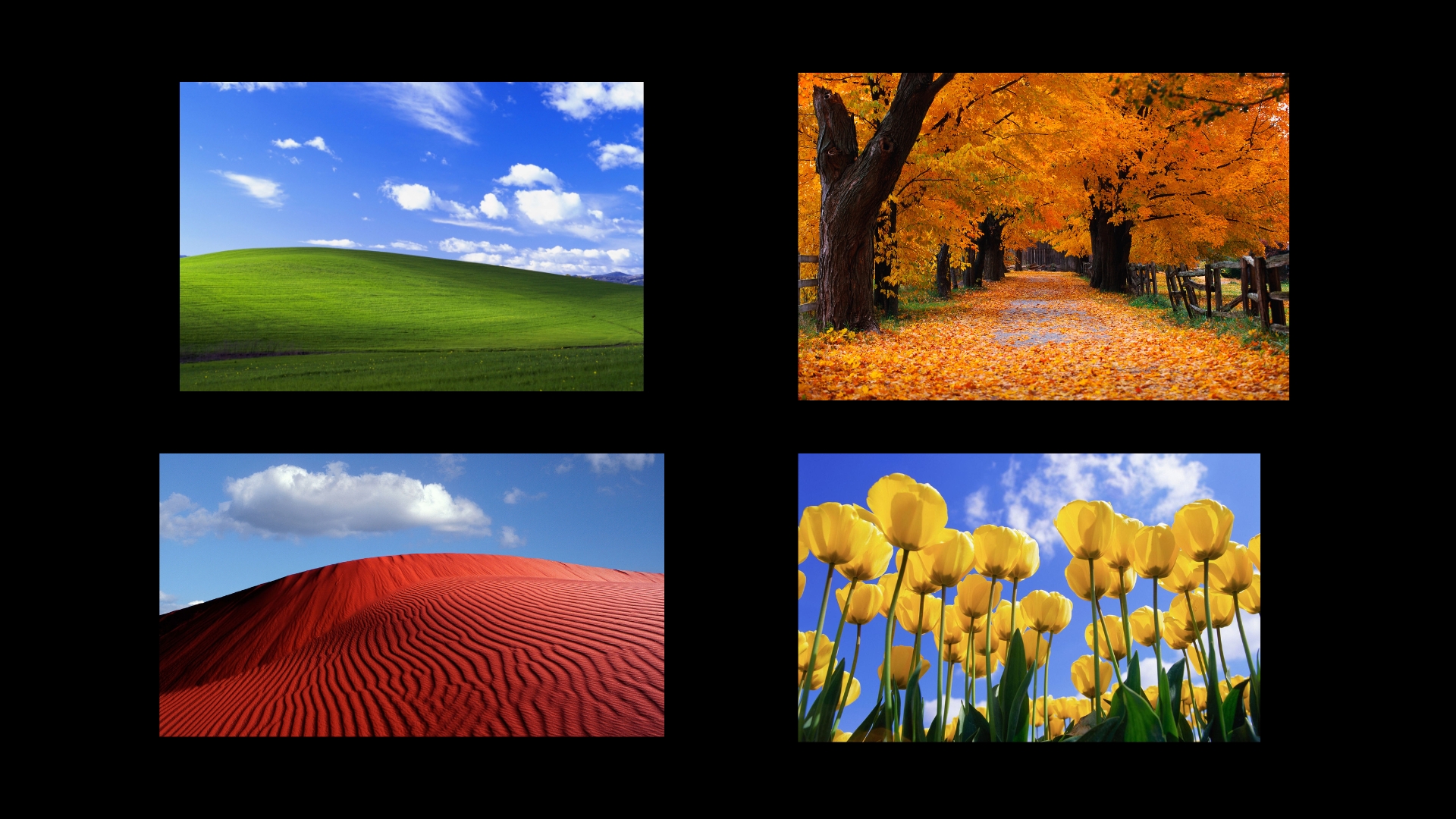
1. Bliss Wallpaper (Classic Green Hills): This quintessential Windows XP wallpaper features rolling green hills beneath a clear blue sky. For MacBook users, wide-cropped versions that retain the expansive sky and landscape are ideal, ensuring the image’s integrity without unnecessary cropping.
2. Autumn Leaves XP Wallpaper: Depicting a close-up of vibrant orange and brown autumn leaves, this wallpaper harmonizes beautifully with macOS’s dark mode, adding warmth without overshadowing desktop elements.
3. Winter Snow Landscape Wallpaper: Showcasing a serene snow-covered field under a clear sky, this wallpaper offers a clean and minimalist aesthetic that complements MacBook displays and pairs well with uncluttered desktop setups.
4. Tulips Field Wallpaper: Featuring a field of red and yellow tulips captured with a shallow depth of field, this wallpaper’s vivid colors stand out on Retina screens while maintaining desktop readability.
5. Blue Sky and Clouds Wallpaper: Presenting a soft blue sky adorned with scattered clouds, this wallpaper closely resembles macOS’s default backgrounds, blending seamlessly with system UI elements.
6. Grass Close-Up XP Wallpaper: A macro shot of grass illuminated by morning light, this subtle background is perfect for users who prefer understated wallpapers that don’t distract from their work.
Steps to Set Windows XP Wallpapers on macOS
After downloading your chosen wallpapers, follow these steps to set them as your MacBook’s background:
1. Open System Settings: Click on the Apple menu and select System Settings.
2. Navigate to Wallpaper: In the sidebar, click on Wallpaper.
3. Add the Downloaded Wallpaper: Click on the + button to add a new photo.
4. Select the Desired Wallpaper: Browse to the location where you saved the downloaded Windows XP wallpaper and select it.
5. Adjust the Display Option: Choose Fill Screen or Fit to Screen to ensure the wallpaper displays correctly without distortion. Avoid using Stretch to Fill, as it can distort the image’s proportions.
Final Considerations
To fully enjoy the nostalgic charm of Windows XP wallpapers on your MacBook, it’s essential to download versions tailored for your specific display resolution. High-quality images preserve color accuracy, prevent blurring, and maintain the original aesthetic appeal. By selecting the appropriate wallpaper and configuring it correctly, these timeless backgrounds can seamlessly integrate into your modern macOS environment, offering a perfect blend of nostalgia and contemporary design.