Introducing LocalGPT: A Secure, Rust-Based AI Assistant for Local Devices
In today’s digital landscape, AI assistants like ChatGPT and Claude have become integral to our daily routines. However, their reliance on cloud infrastructures raises significant concerns about data privacy and security. Addressing these issues, LocalGPT emerges as a robust, Rust-based AI assistant designed to operate entirely on local devices, ensuring user data remains private and secure.
Understanding LocalGPT
LocalGPT is a compact, approximately 27MB binary application that functions exclusively on local hardware. This design choice eliminates the need for cloud-based processing, thereby mitigating risks associated with data breaches and unauthorized access. Inspired by the OpenClaw framework, LocalGPT emphasizes persistent memory, autonomous operations, and minimal dependencies, making it particularly appealing to enterprises and individuals prioritizing cybersecurity.
The Advantages of Rust in LocalGPT
The choice of Rust as the programming language for LocalGPT is pivotal. Rust’s memory safety model effectively eliminates common vulnerabilities such as buffer overflows, which are prevalent in C and C++ applications. By avoiding dependencies on Node.js, Docker, or Python, LocalGPT reduces its attack surface, minimizing potential exploits related to package managers or container environments.
Commitment to Data Privacy
A cornerstone of LocalGPT’s design is its unwavering commitment to data privacy. All processing occurs locally, ensuring that user data never leaves the device. This local-first approach safeguards against man-in-the-middle attacks and data exfiltration risks commonly associated with Software as a Service (SaaS) AI solutions.
Key Security Features of LocalGPT
LocalGPT incorporates several security-centric features:
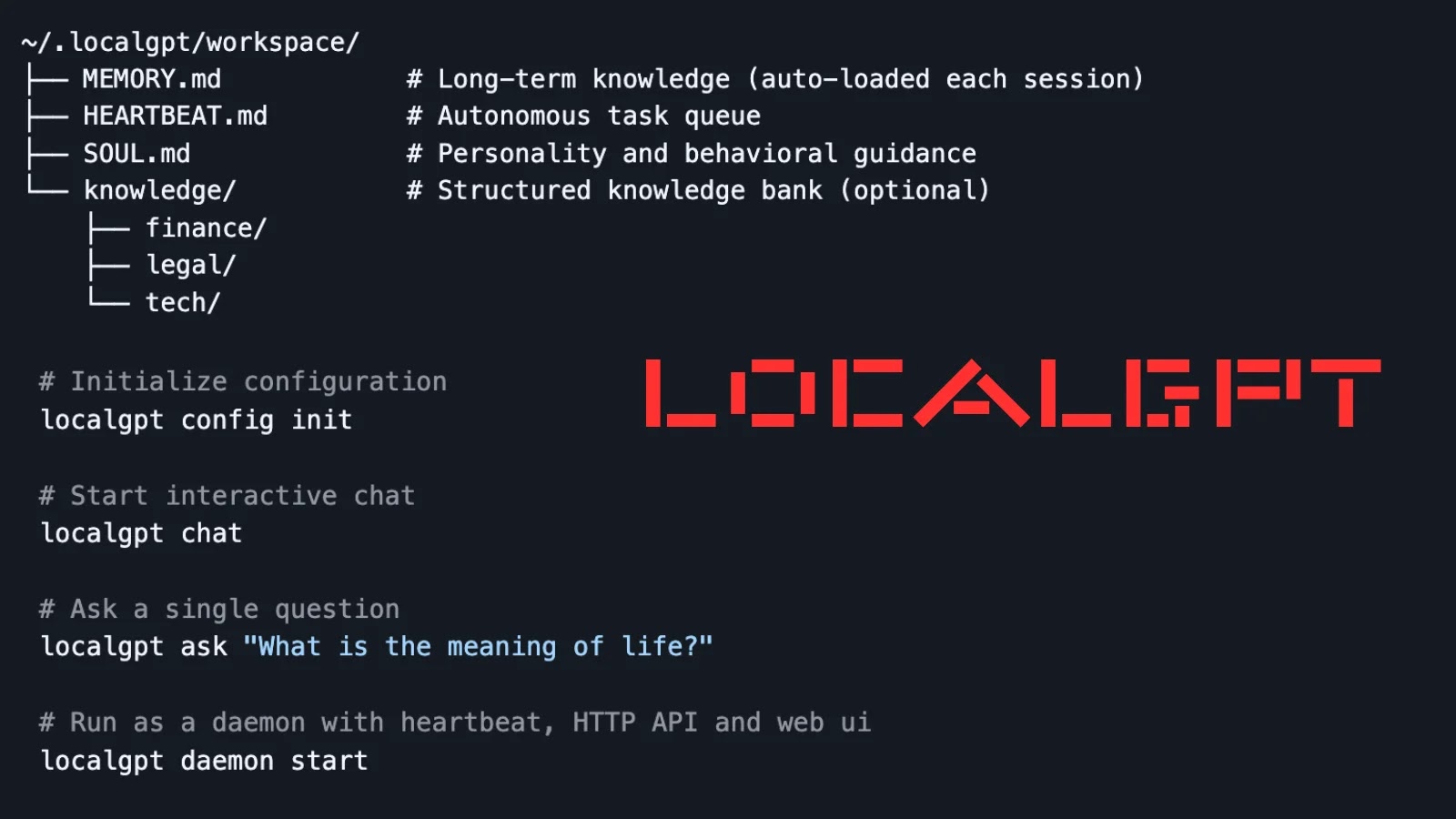
– Persistent Memory Management: Utilizing plain Markdown files stored in `~/.localgpt/workspace/`, LocalGPT organizes data into:
– `MEMORY.md`: Houses long-term knowledge.
– `HEARTBEAT.md`: Manages task queues.
– `SOUL.md`: Defines personality guidelines.
– `knowledge/` directory: Contains structured data.
These files are indexed using SQLite FTS5 for rapid full-text searches and sqlite-vec for semantic queries, leveraging local embeddings from fastembed. This approach eliminates the need for external databases or cloud synchronization, thereby reducing persistence-related risks.
– Autonomous Operations: The heartbeat functionality allows users to delegate background tasks during specified active hours (e.g., 09:00–22:00), with a default interval of 30 minutes. This feature enables routine operations without supervision while ensuring all processes remain local, preventing potential malware lateral movements.
– Multi-Provider Support: LocalGPT supports multiple AI providers, including Anthropic (Claude), OpenAI, and Ollama. Users can configure these via `~/.localgpt/config.toml` with API keys for hybrid setups, though core operations remain device-bound.
Installation and Usage
Installing LocalGPT is straightforward:
– Execute `cargo install localgpt` to install the application.
Key commands include:
– `localgpt config init`: Initializes the configuration.
– `localgpt chat`: Starts interactive sessions.
– `localgpt ask What is the meaning of life?`: Executes one-off queries.
For background operations, the daemon mode can be initiated with `localgpt daemon start`, providing HTTP API endpoints like `/api/chat` for integrations and `/api/memory/search?q=
The command-line interface (CLI) offers comprehensive management capabilities, including daemon control (`start/stop/status`), memory operations (`search/reindex/stats`), and configuration viewing. Additionally, LocalGPT provides a web user interface and a desktop graphical user interface (GUI) via eframe for accessible frontends. Built with Tokio for asynchronous efficiency, Axum for the API server, and SQLite extensions, LocalGPT is optimized for low-resource environments.
Compatibility and Extensibility
LocalGPT’s compatibility with the OpenClaw framework supports SOUL, MEMORY, HEARTBEAT files, and skills, enabling modular and auditable extensions without vendor lock-in. Security researchers commend its SQLite-backed indexing for its tamper-resistant nature, making it ideal for air-gapped forensics or classified operations. In red-team scenarios, its minimalistic design complicates reverse-engineering efforts.
Addressing Emerging Threats
As AI-driven phishing and prompt-injection attacks have surged by 300% in 2025, according to MITRE, LocalGPT offers a hardened baseline to counter these threats. Early adopters in the finance and legal sectors have noted that its `knowledge/` silos effectively prevent cross-contamination and data leaks.
Conclusion
While no system is entirely immune to large language model (LLM) hallucinations or local exploits, LocalGPT represents a significant step toward reclaiming control over AI from large technology corporations. By operating entirely on local devices, it provides a secure and private alternative for users seeking to integrate AI into their workflows without compromising data security.