Google Introduces Floating Pill Redesign for Gemini Live on Android
Google has unveiled a significant update to its Gemini Live feature on Android, transitioning from a predominantly fullscreen interface to a more versatile floating pill design. This enhancement aims to provide users with a more seamless and integrated experience when interacting with Gemini Live.
Accessing the Floating Pill Interface
Users can engage with the new floating pill interface through two primary methods:
1. Via the Gemini Overlay: Activate the Gemini overlay and tap the Live icon located on the right side.
2. Through the Gemini App: Open the Gemini app, initiate the fullscreen Gemini Live interface, and then exit to the home screen.
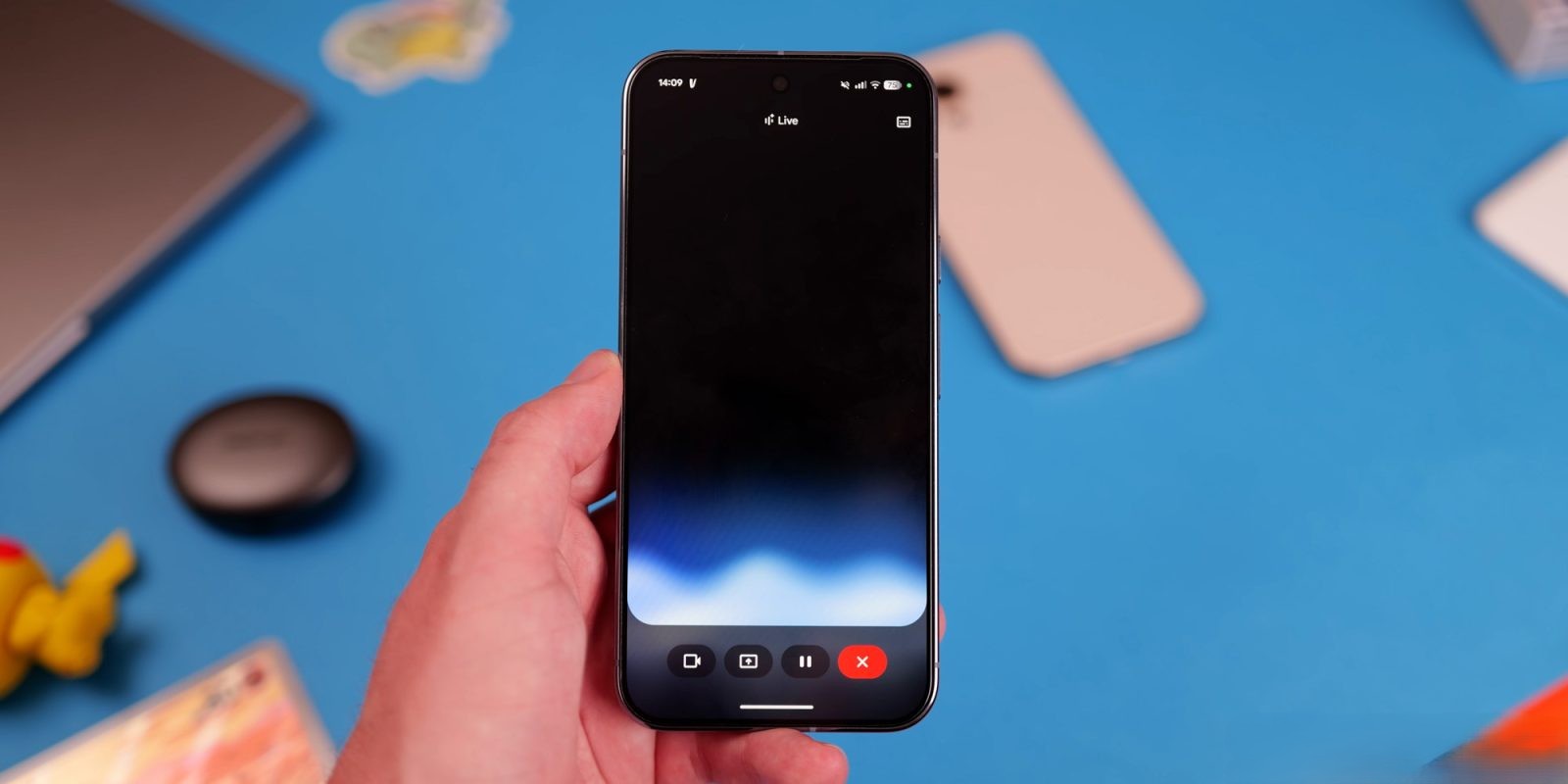
Upon activation, the floating pill appears, offering a suite of controls:
– Camera and Screen Sharing: Begin sharing your camera or screen directly from the pill.
– Microphone Control: Mute or unmute the microphone as needed.
– Ending Live Sessions: Conclude the Live session with a simple tap.
If a conversation hasn’t commenced, selecting the keyboard option within the pill transitions the user to the Gemini overlay. Conversely, if a session is active, this action halts the Live session and opens the text transcript for review.
Design and Functionality Enhancements
The floating pill is designed with user experience in mind:
– Visual Consistency: It mirrors the aesthetic of the Gemini overlay used for text prompts, ensuring a cohesive look and feel.
– Dynamic Background: The pill features the Gemini Live waveform in the background, with real-time text transcriptions displayed above. Users have the option to toggle these features on or off via the top-right corner controls.
– Adaptive Behavior: When multitasking or navigating away from the Gemini Live interface, the pill minimizes into a movable circle, reminiscent of chat heads in messaging apps. Users can tap to expand it or swipe down to close.
Integration with Existing Interfaces
This redesign maintains the availability of the fullscreen interface for users who prefer it. To access the full UI, simply reopen the Gemini app. Notably, video sharing continues to utilize the comprehensive fullscreen interface, ensuring optimal display and functionality.
Rollout and Compatibility
As of February 2, 2026, the floating pill redesign is being gradually introduced. Initial observations indicate its presence on select devices running the stable version (17.3) of the Google app. This update is anticipated to accompany a significant Gemini Live model update, enhancing overall performance and user experience.
Potential Applications and Future Developments
The floating pill design is particularly advantageous during computer interactions, offering a non-intrusive yet accessible interface. Google’s previous demonstrations, such as those for Project Astra, showcased similar interfaces, hinting at a broader application of this design philosophy.
In summary, Google’s introduction of the floating pill redesign for Gemini Live on Android signifies a strategic move towards more integrated and user-friendly interfaces. By reducing the reliance on fullscreen interactions and offering a versatile floating option, users can enjoy a more seamless and efficient experience with Gemini Live.