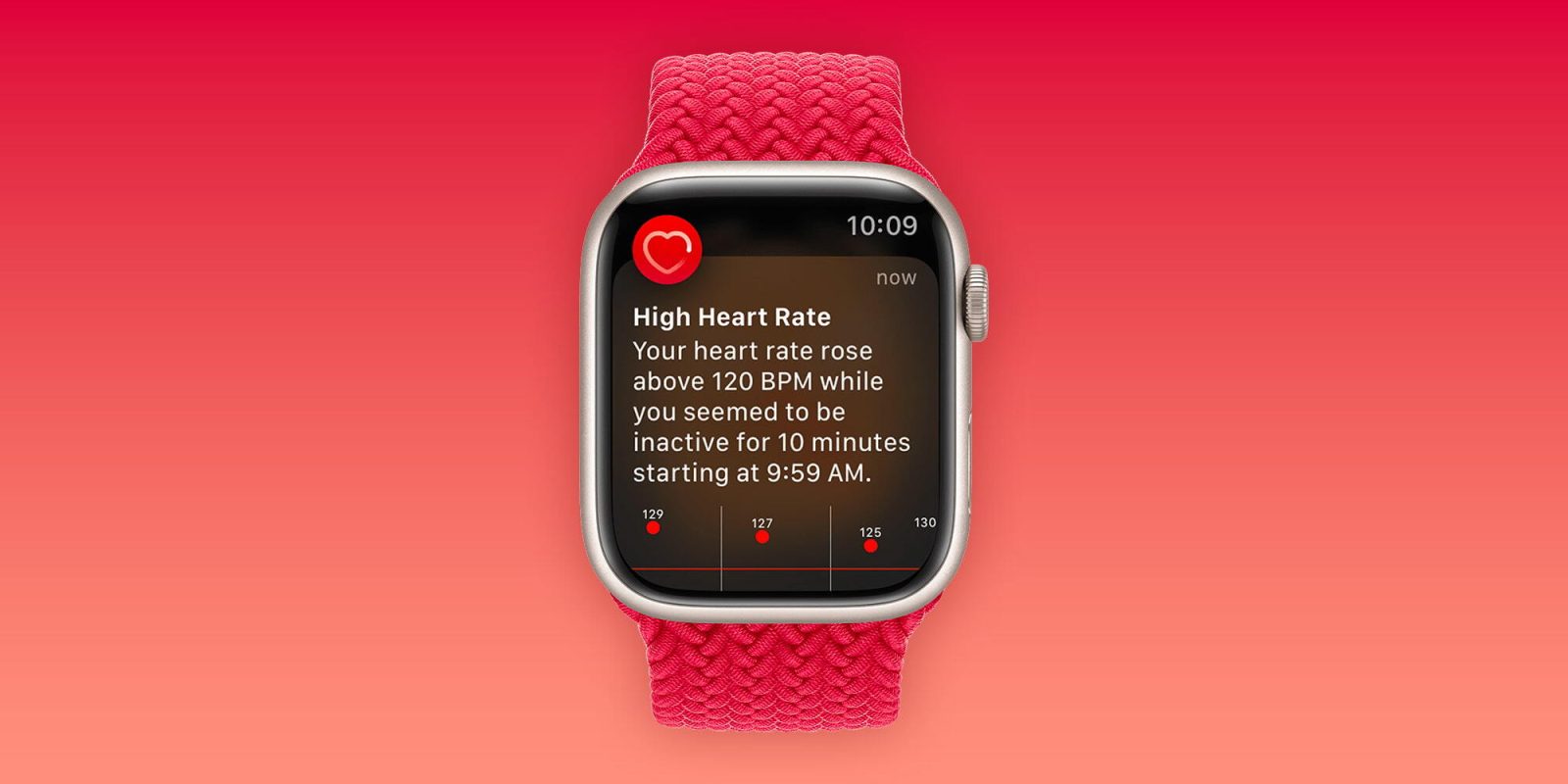
Apple Watch’s High Heart Rate Alert: A Lifesaver for Journalist Stephen Pollard
In a compelling account, political columnist Stephen Pollard credits his Apple Watch with potentially saving his life by alerting him to a dangerous increase in heart rate. This incident underscores the critical role wearable technology can play in health monitoring and emergency prevention.
A Routine Prescription Leads to Unexpected Complications
Stephen Pollard, undergoing chemotherapy for leukemia, manages his condition with a nightly regimen of medications, including what he refers to as his miracle pill. When a persistent cough developed into what seemed like a chest infection, his general practitioner prescribed antibiotics to address the issue.
However, that evening, Pollard began experiencing severe headaches, which he initially attributed to the strain from coughing. Hoping for relief through rest, he retired for the night, only to face escalating symptoms. The headache subsided, but he was overtaken by extreme nausea and a sensation akin to severe seasickness. Attempts to rise from bed intensified these symptoms, rendering him incapacitated.
The Apple Watch’s Timely Intervention
Throughout this ordeal, Pollard’s Apple Watch issued alerts indicating a significant rise in his heart rate, despite his sedentary state. Initially, he dismissed these warnings, attributing them to his discomfort and restlessness. However, the persistent notifications prompted concern.
The following day, Pollard consulted another GP from the same medical center. Upon reviewing his symptoms and the antibiotic prescribed, the GP immediately discontinued the medication, identifying a dangerous interaction with his leukemia treatment. The GP inquired about heart palpitations, and Pollard recalled the heart rate alerts from his Apple Watch. This revelation heightened the GP’s concern, emphasizing the necessity of monitoring his heart rate closely to ensure it returned to normal levels, thereby preventing potential cardiac events.
A Life-Saving Device
Reflecting on the incident, Pollard acknowledges the pivotal role his Apple Watch played in averting a possible heart attack. He emphasizes the importance of wearable health devices, stating, Please think about wearing a smartwatch or a fitness device. His experience serves as a testament to how technology can provide critical health insights and prompt timely medical intervention.
Broader Implications and Similar Cases
Pollard’s experience is not isolated. Numerous individuals have reported life-saving interventions facilitated by their Apple Watches:
– Brazilian Man’s Tachycardia Detection: In 2020, Jorge Freire Jr. received an alert for an elevated heart rate while walking. Subsequent medical evaluation diagnosed him with tachycardia, a condition that can lead to severe complications if untreated. ([9to5mac.com](https://9to5mac.com/2020/01/09/apple-watch-tachycardia-jorge-freire-jr/?utm_source=openai))
– Detection of Atrial Fibrillation: In 2018, an Apple Watch user discovered an irregular heartbeat through the device’s ECG app. Medical consultation confirmed atrial fibrillation, a condition increasing the risk of stroke and heart failure. ([9to5mac.com](https://9to5mac.com/2018/12/07/apple-watch-ecg-saves-life/?utm_source=openai))
– Low Heart Rate Alert in New Jersey: In 2024, 73-year-old Frank Haggerty was alerted by his Apple Watch to a dangerously low heart rate. Medical evaluation led to the implantation of a pacemaker, effectively addressing the issue. ([9to5mac.com](https://9to5mac.com/2024/02/20/apple-watch-nj-low-heart-rate/?utm_source=openai))
The Growing Role of Wearable Technology in Health Monitoring
These accounts highlight the expanding role of wearable technology in personal health monitoring. Devices like the Apple Watch are equipped with features that can detect irregular heart rates, atrial fibrillation, and even falls, providing users with timely alerts that can prompt life-saving medical interventions.
Setting Up Heart Rate Notifications on Apple Watch
To leverage these health monitoring features, users should ensure their Apple Watch is properly configured:
1. Enable Heart Rate Notifications:
– Open the Apple Watch app on your iPhone.
– Tap the My Watch tab.
– Select Heart.
– Set thresholds for high and low heart rate notifications.
2. Activate Fall Detection:
– In the Apple Watch app, tap Emergency SOS.
– Toggle on Fall Detection.
3. Update Medical ID:
– Open the Health app on your iPhone.
– Tap Medical ID.
– Enter critical health information and emergency contacts.
Conclusion
Stephen Pollard’s experience underscores the invaluable role that wearable technology, like the Apple Watch, can play in health monitoring and emergency prevention. By providing real-time health data and alerts, these devices empower individuals to take proactive steps toward their well-being, potentially saving lives in the process.