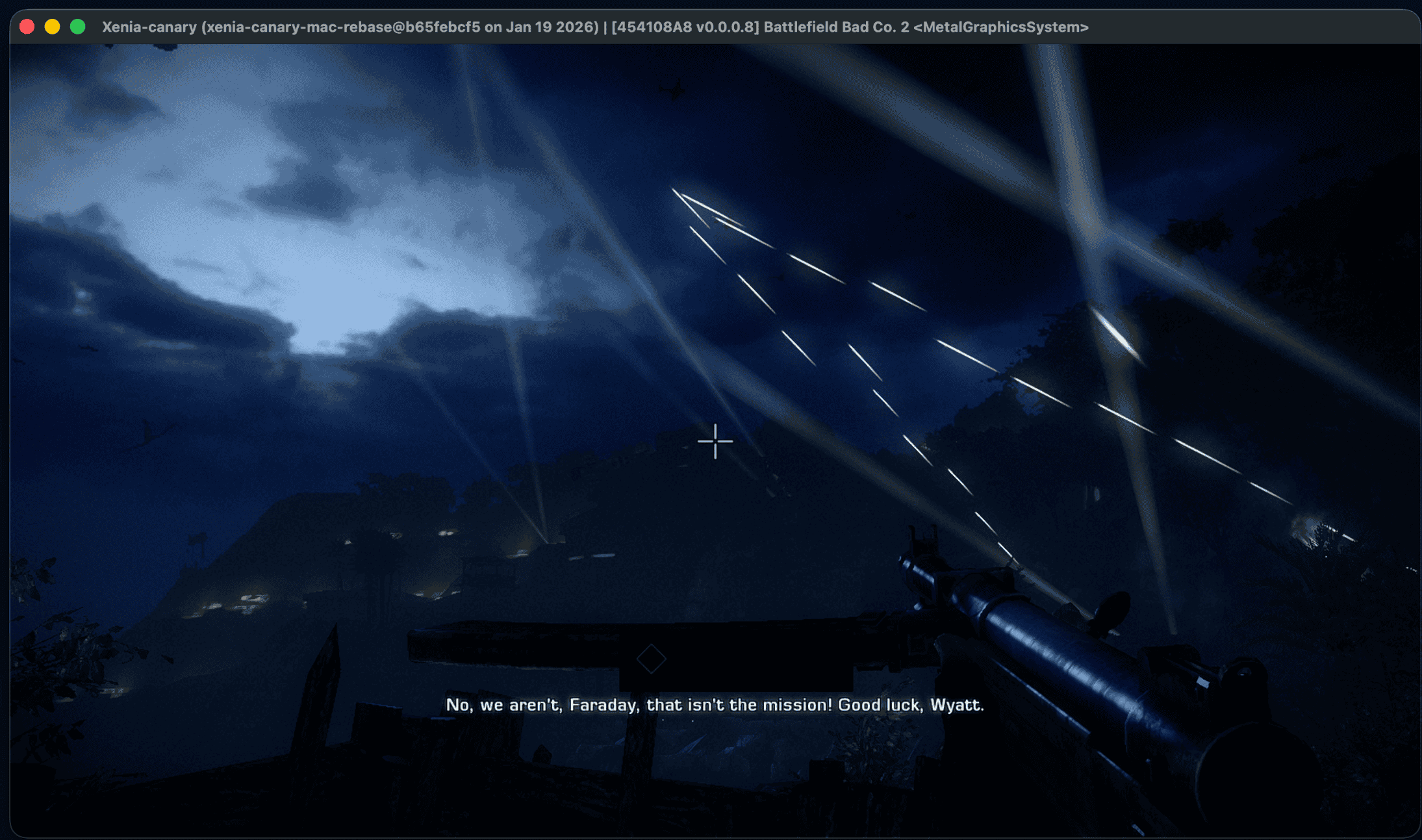
The gaming landscape for macOS users has taken a significant leap forward with the introduction of xenia-mac, an open-source project that brings Xbox 360 emulation to Apple’s operating system. This development allows Mac enthusiasts to experience iconic titles like Red Dead Redemption and Grand Theft Auto IV directly on their machines.
Understanding xenia-mac
xenia-mac is a macOS-centric adaptation of the renowned Xbox 360 emulator, Xenia. While Xenia has traditionally been tailored for Windows environments, xenia-mac diverges by integrating a native Metal backend—Apple’s proprietary graphics API. This strategic shift eliminates the dependency on Windows-specific graphics interfaces, facilitating a more seamless emulation experience on macOS.
Key Features and Technical Insights
– CPU Architecture: The emulator is optimized for ARM64 architecture, aligning with Apple’s transition to Apple Silicon.
– Graphics Rendering: By leveraging the Metal API, xenia-mac ensures efficient rendering, capitalizing on Apple’s hardware capabilities.
– Shader Translation Pipeline: The emulator employs a multi-stage process to convert Xbox 360 shader microcode into a format compatible with Metal. This involves translating the microcode to DXBC, then to DXIL, and finally to Metal IR, culminating in an MTLLibrary that the GPU can execute.
Current Performance and Game Compatibility
As of the latest release (v0.11), xenia-mac has demonstrated varying degrees of success across multiple titles:
– Nier (Title ID: 535107E8): Successfully boots into gameplay and is deemed playable, albeit with minor graphical glitches and audio distortions.
– Silent Hill: Downpour (Title ID: 4B4E0823): Enters gameplay but exhibits graphical anomalies, particularly during cutscenes.
– Battlefield: Bad Company 2 (Title ID: 454108A8): Initiates the first mission but encounters hangs post-introduction, accompanied by audio issues.
– Red Dead Redemption (Title ID: 5454082B): Reaches gameplay stages but suffers from significant graphical and audio problems.
– GTA IV (Title ID: 545407F2): Advances to loading and menu screens; however, menu hangs have been reported, marking a regression from earlier versions.
– Halo Series (Title IDs: 4D53…): Currently fails to boot, resulting in hangs.
Installation and Setup
To embark on this emulation journey:
1. Download: Obtain the latest xenia-mac DMG file from the official GitHub repository.
2. Installation: Mount the DMG and drag the Xenia.app into the Applications folder.
3. Initial Launch: Attempt to open the application; macOS may block it due to its non-notarized status.
4. Override Security: Navigate to System Settings > Privacy & Security, and select Open Anyway to grant the necessary permissions.
Challenges and Future Prospects
While xenia-mac represents a monumental advancement, users should anticipate:
– Stability Issues: Given its experimental nature, crashes and hangs are prevalent.
– Performance Constraints: The current shader translation method, though effective, imposes performance penalties.
– Limited Game Support: Not all Xbox 360 titles are compatible at this stage.
The development team is actively addressing these challenges, with plans to enhance stability, optimize performance, and expand game compatibility in forthcoming updates.
Conclusion
The advent of xenia-mac is a testament to the evolving capabilities of macOS in the gaming domain. By bridging the gap between Xbox 360 titles and Mac systems, it offers users a nostalgic and immersive gaming experience. As the project matures, it holds the promise of transforming macOS into a more versatile gaming platform.
Twitter Post:
Exciting news for Mac gamers! 🎮 The new xenia-mac emulator brings Xbox 360 classics like Red Dead Redemption and GTA IV to macOS. Dive into the action today! #macOSGaming #Xbox360Emulator #xeniaMac
Focus Key Phrase:
xenia-mac Xbox 360 emulator for macOS
Article X Post:
Hashtags:
Article Key Phrase:
Category: Apple News