macOS Welcomes Xbox 360 Gaming: Introducing the Xenia-Mac Emulator
The gaming landscape for macOS users has taken a significant leap forward with the introduction of xenia-mac, an open-source project aiming to emulate Xbox 360 games on Apple’s operating system. This development marks a pivotal moment for gamers who have long awaited the ability to play titles like Red Dead Redemption and Grand Theft Auto IV natively on their Macs.
Understanding Xenia-Mac
Xenia-mac is a macOS-centric branch of the Xenia project, an open-source endeavor dedicated to Xbox 360 emulation. Unlike its Windows-focused predecessor, xenia-mac is tailored specifically for macOS, utilizing Apple’s Metal graphics API to render games. This approach circumvents the need for Windows-only graphics APIs, offering a more integrated experience for Mac users.
Development Milestones
The project has seen rapid advancements:
– v0.1 (January 17, 2026): This initial release, based on the main Xenia branch, supported ARM64 architecture and introduced a native Metal backend. However, it was described as very buggy and unstable, with many games failing to boot.
– v0.11 (January 18, 2026): Built upon the experimental xenia-canary fork, this version continued ARM64 support with plans for x86_64 inclusion. It demonstrated improved game compatibility but remained unstable.
Technical Innovations
Xenia-mac’s development is noteworthy for several reasons:
– Metal Integration: By adopting Apple’s Metal API, xenia-mac ensures better performance and compatibility on macOS devices.
– Shader Translation Pipeline: The emulator employs a multi-stage process to convert Xbox 360 shader microcode into a format compatible with Metal. This pipeline involves:
1. Translating Xbox 360 shader microcode to DirectX Bytecode (DXBC).
2. Converting DXBC to DirectX Intermediate Language (DXIL).
3. Utilizing Apple’s Metal Shader Converter to transform DXIL into Metal Intermediate Representation (IR).
4. Compiling Metal IR into an MTLLibrary for GPU execution.
This method, while effective, currently incurs a performance penalty, which developers are actively working to mitigate.
Current Game Compatibility
As of the v0.11 release, several titles have been tested with varying degrees of success:
– Nier (Title ID: 535107E8): Boots into gameplay and appears playable, though minor graphical issues and tinny audio are present.
– Silent Hill: Downpour (Title ID: 4B4E0823): Boots into gameplay with graphical glitches, especially during cutscenes.
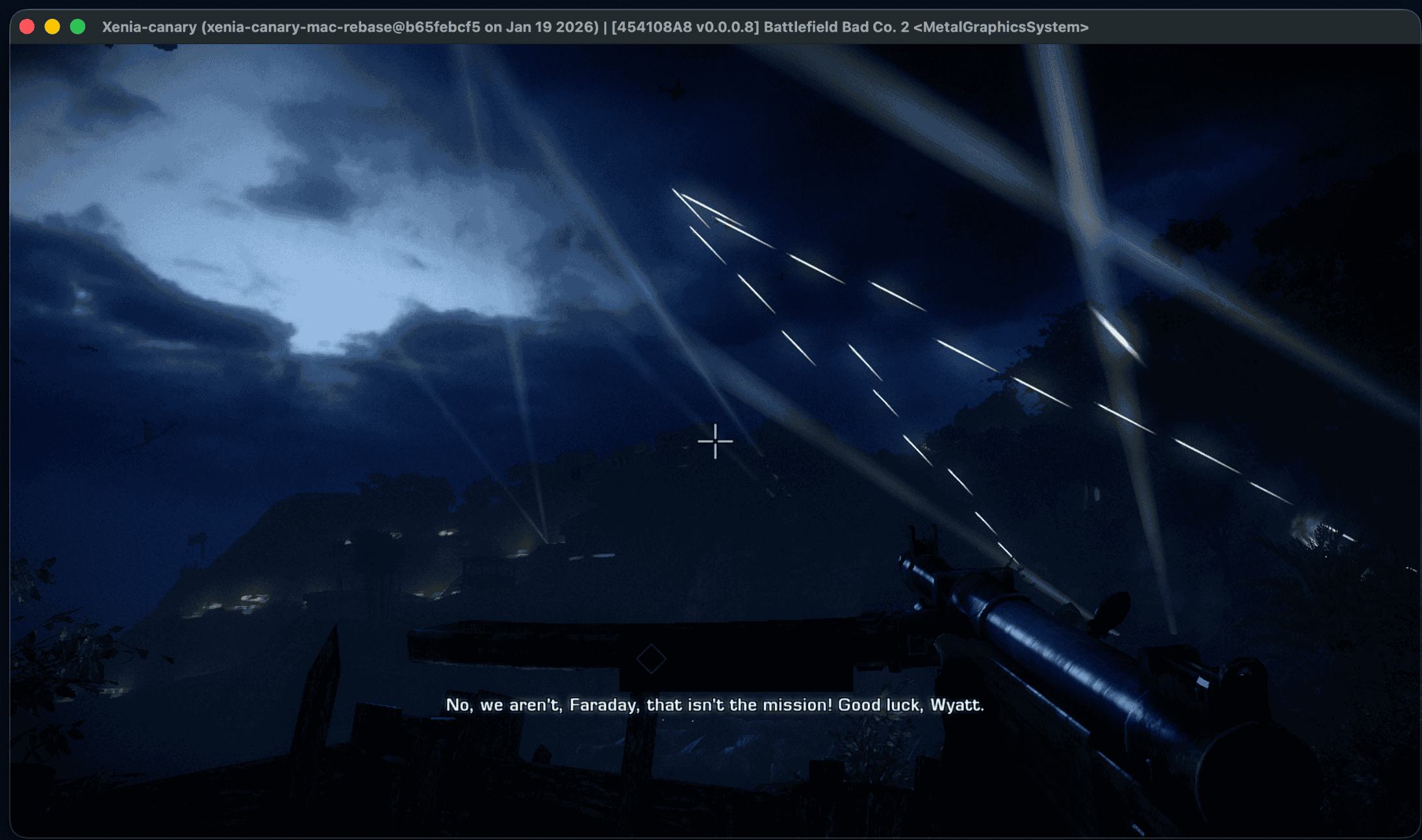
– Battlefield: Bad Company 2 (Title ID: 454108A8): Boots into the first mission but experiences hangs after the intro and audio issues.
– Red Dead Redemption (Title ID: 5454082B): Boots into gameplay but suffers from severe graphical and audio issues.
– GTA IV (Title ID: 545407F2): Boots to the loading/menu screen but hangs, a regression from v0.1.
– Halo Series (Title IDs: 4D53…): Does not boot, resulting in hangs.
Common issues across these titles include boot hangs, graphical glitches, audio distortions, and memory protection errors. These challenges highlight the experimental nature of the emulator and the ongoing efforts to enhance stability and performance.
Installation and Usage
For those eager to explore xenia-mac:
1. Download: Obtain the latest DMG file from the project’s GitHub releases page.
2. Install: Mount the DMG and drag Xenia.app to the Applications folder.
3. First Launch: Attempt to open the app; macOS will likely block it due to its non-notarized status.
4. Allow Execution: Navigate to System Settings > Privacy & Security and click Open Anyway to permit the app to run.
Looking Ahead
The xenia-mac project represents a significant stride toward bringing Xbox 360 gaming to macOS. While still in its early stages, the emulator’s development is promising. The community’s support and feedback are crucial as developers continue to refine the software, aiming for broader game compatibility and improved performance.