Apple Research App Embraces Liquid Glass Design for Enhanced User Experience
Apple has recently updated its Research app, introducing the innovative Liquid Glass design to align with the aesthetic of iOS 26. This redesign not only enhances the app’s visual appeal but also improves user interaction, making it more intuitive and engaging.
Understanding the Liquid Glass Design
Unveiled during the Worldwide Developers Conference (WWDC) in June 2025, Liquid Glass is a design philosophy that brings a translucent, dynamic quality to the user interface. This design reflects and refracts its surroundings, adapting to different environments and content, thereby creating a more immersive experience. The introduction of Liquid Glass marks a significant shift in Apple’s design approach, aiming to unify the visual language across all its platforms, including iOS, iPadOS, macOS, watchOS, and tvOS.
The Role of the Apple Research App
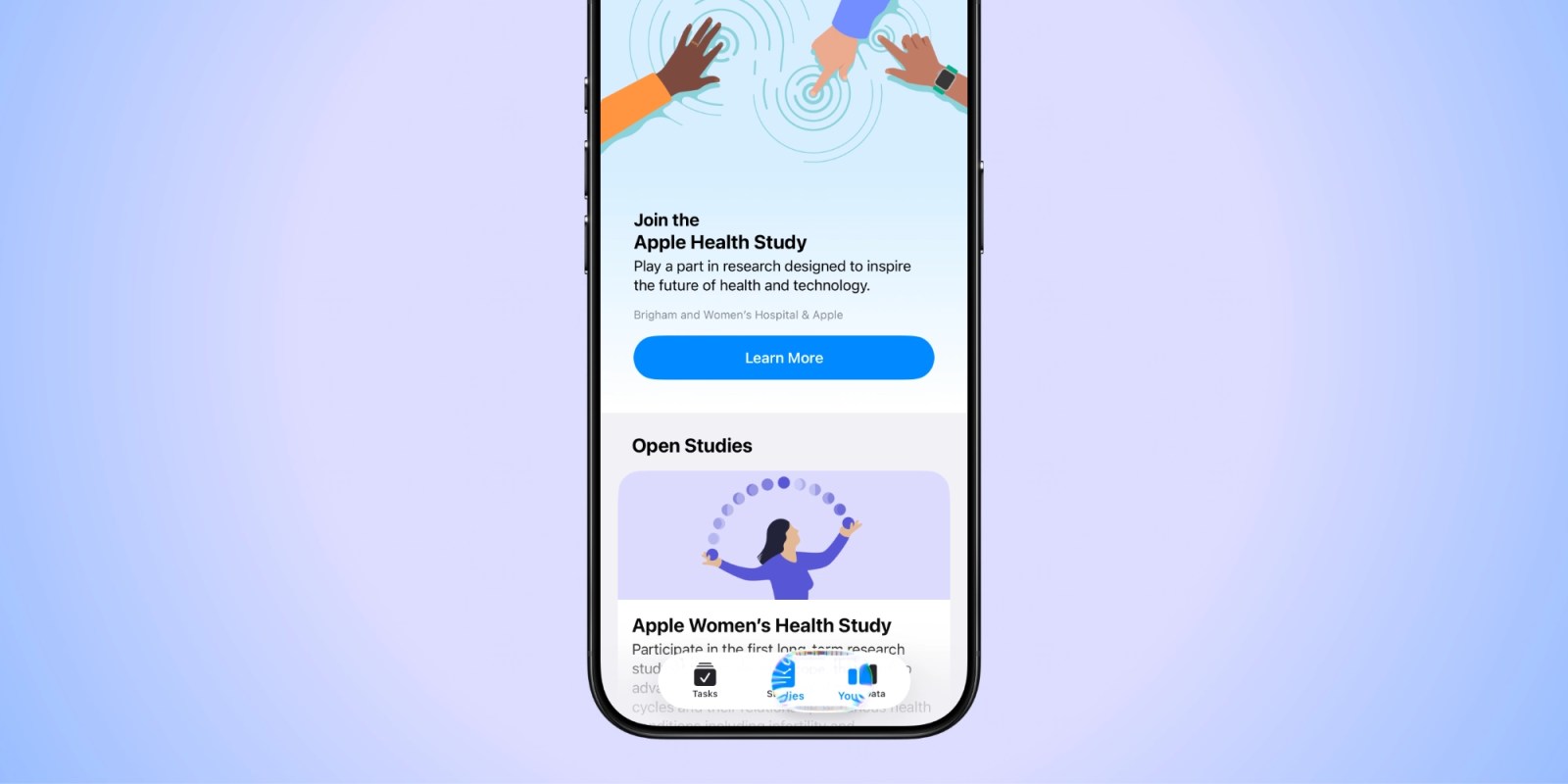
The Apple Research app serves as a platform for iPhone users to participate in health studies that contribute to medical research and inform future Apple health features. By engaging in these studies, users can help advance our understanding of various health conditions and the development of new health technologies.
Enhancements in the Research App
With the integration of the Liquid Glass design, the Research app now offers a more cohesive and visually appealing interface. The update includes:
– Refreshed Iconography: The app icon has been redesigned to reflect the Liquid Glass aesthetic, providing a modern and unified look.
– Dynamic Navigation Elements: The navigation bar and other UI components have been updated to incorporate the translucent and adaptive qualities of Liquid Glass, enhancing the overall user experience.
– Improved Accessibility: The new design also focuses on accessibility, ensuring that all users, regardless of their abilities, can navigate and use the app effectively.
Broader Adoption of Liquid Glass Across Apple Apps
The Research app is among several Apple applications receiving the Liquid Glass treatment. Other apps that have been updated include:
– App Store Connect: Updated in October 2025, this app now features a refreshed look with Liquid Glass design elements, enhanced icons, and improved filtering for ratings and reviews.
– Apple Store App: In November 2025, the Apple Store app received a Liquid Glass update, introducing a new icon and redesigned navigation bar, aligning it with the iOS 26 aesthetic.
– Apple Support App: Also updated in October 2025, the Support app now boasts a new layered icon design and a revamped navigation bar, enhancing the user interface.
Future Updates and Expectations
While several apps have been updated, some, like Apple’s iWork suite—including Pages, Keynote, and Numbers—are still awaiting the Liquid Glass redesign. Users can anticipate these updates in the near future as Apple continues to roll out its new design language across all its applications.
Conclusion
The integration of the Liquid Glass design into the Apple Research app signifies Apple’s commitment to providing a unified and engaging user experience. By aligning the app’s design with the broader iOS 26 aesthetic, Apple enhances not only the visual appeal but also the functionality and accessibility of the app. Users are encouraged to download the latest version of the Apple Research app from the App Store to experience these enhancements firsthand.