Article Title:
Google Messages Refines Nano Banana Remix Feature for Enhanced User Experience
Article Text:
In response to user feedback, Google has implemented significant adjustments to the Nano Banana-powered Remix feature within Google Messages, aiming to enhance usability and reduce visual distractions.
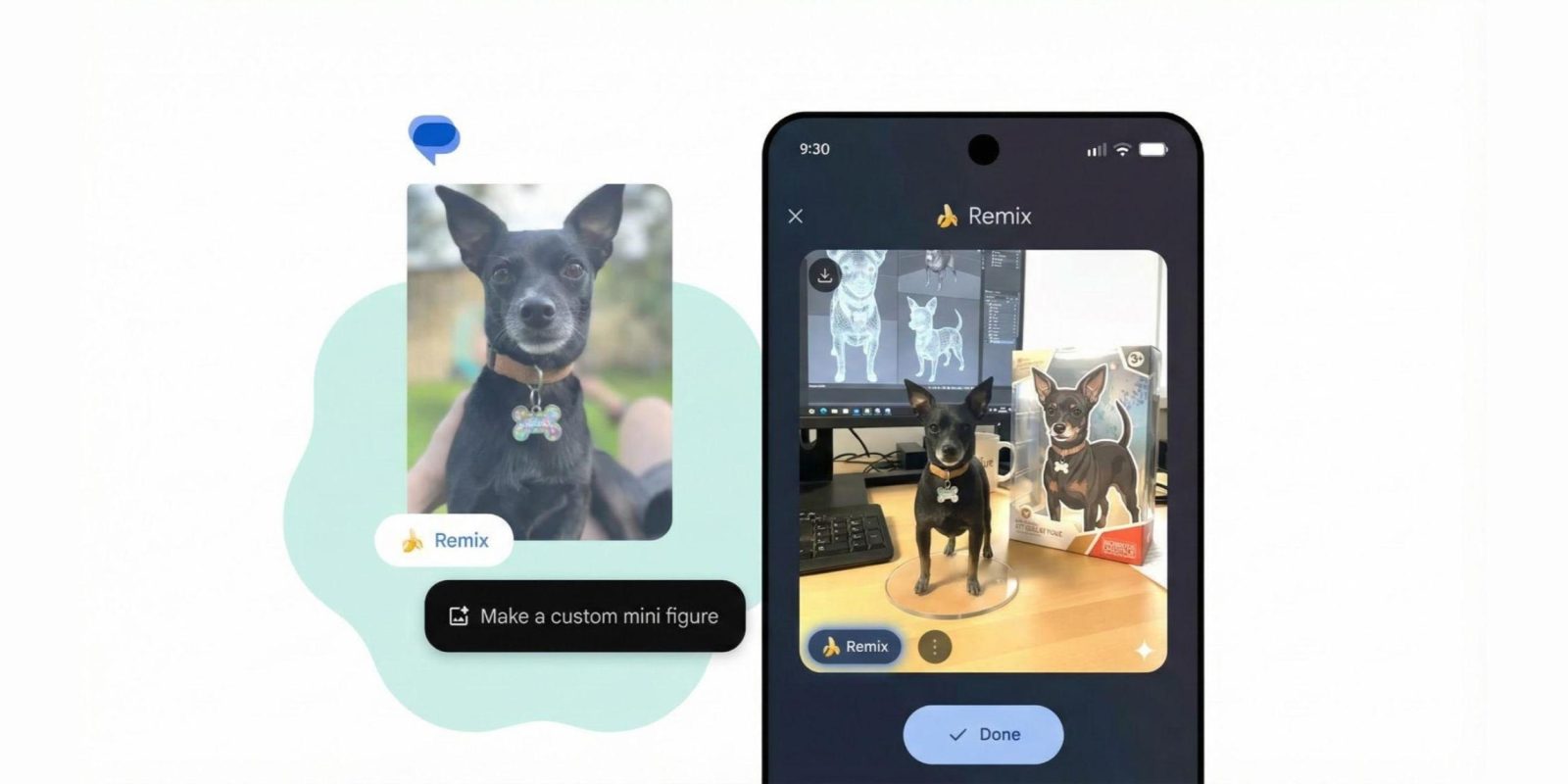
Initially, the Remix button, characterized by a prominent banana emoji, appeared in the bottom-left corner when users long-pressed on an image within a conversation. This design choice, while eye-catching, was perceived by some as intrusive and detracting from the overall messaging experience.
To address these concerns, Google has made the following changes:
1. Redesigned Remix Button: The button has been resized to a more subtle form, replacing the banana emoji with a generic image icon accompanied by an AI sparkle. This modification aims to maintain functionality while minimizing visual clutter.
2. Fullscreen Viewer Enhancement: In the updated fullscreen image viewer, the Remix button has been removed to provide an unobstructed view of images. Users can now tap the screen to hide interface elements, focusing solely on the content.
3. Relocated Remix Access: The Remix functionality has been repositioned to the bottom-left corner of the interface, adjacent to the comment count. This placement ensures accessibility without overwhelming the user interface.
These updates are part of Google’s ongoing efforts to refine the Nano Banana Remix feature, making it more user-friendly and enjoyable. The changes are currently available in the latest Google Messages beta version 20251212_00_RC01.
Additionally, Google is experimenting with integrating Nano Banana features into other applications. For instance, a Nano Banana button is being tested at the top of the Google app, directing users to the Lens Create tab. Similarly, following the launch of Nano Banana Pro, the Gemini website featured a recurring banner promoting the new functionality.
These developments reflect Google’s commitment to enhancing user experience by refining existing features and exploring new integrations across its suite of applications.