Google Recorder Update Introduces ‘Create Music’ Feature to Pixel 9 Series
Google has released a significant update to its Pixel Recorder app, bringing the innovative ‘Create Music’ feature to the Pixel 9 series. Initially launched with the Pixel 10 series, this functionality allows users to enhance their audio recordings by adding customized background music, thereby enriching the overall listening experience.
Accessing ‘Create Music’ on Pixel 9:
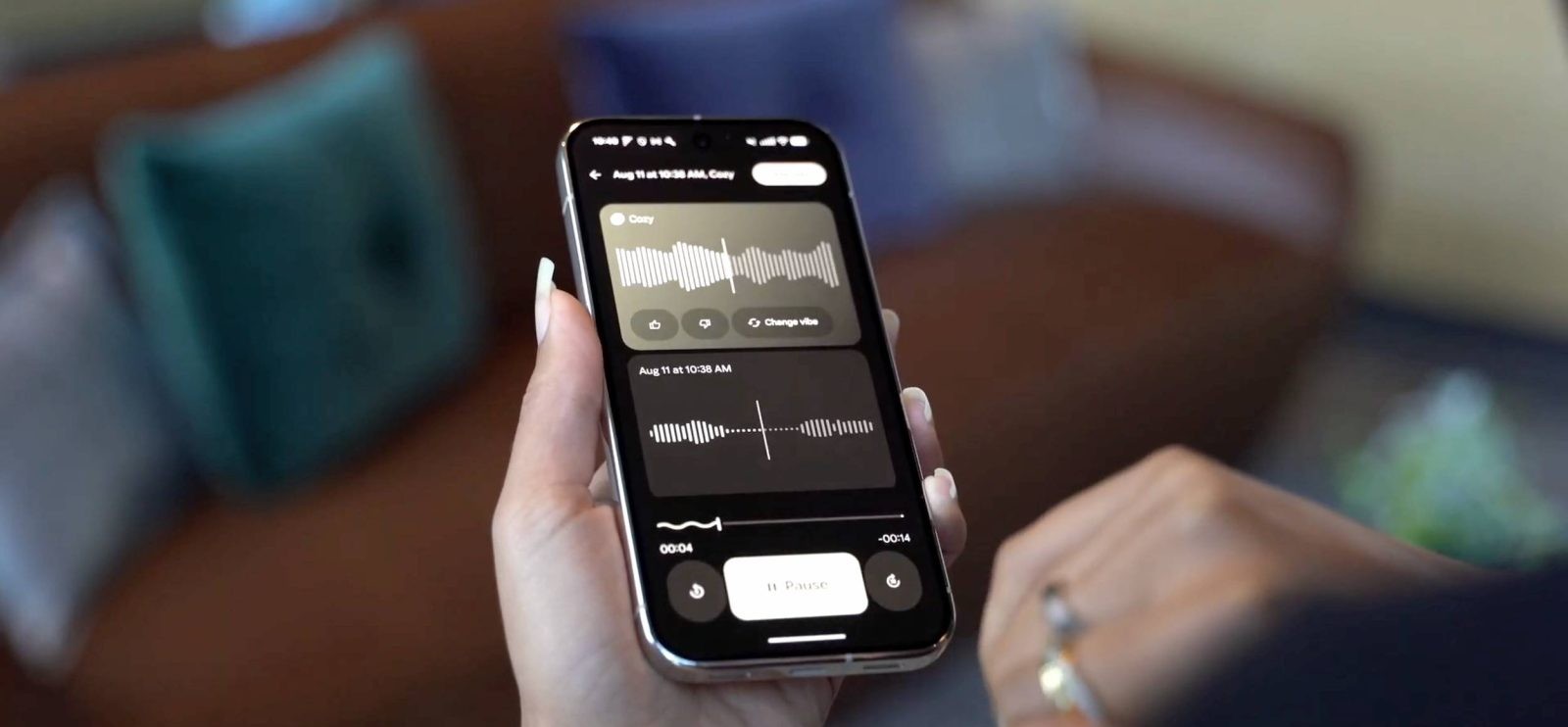
To utilize this feature, Pixel 9 users can navigate to the Recorder app and tap on the three-dot menu. Within this menu, the ‘Create Music’ option is now prominently displayed. Selecting it opens a panel showcasing ‘Featured Vibes,’ which includes a variety of musical themes such as Chill Beats, Cozy, Dance Party, Rainy Day Blues, Romantic, and a Surprise Me option for a random selection. For those seeking a more personalized touch, the ‘Your Vibes’ section allows users to craft custom background music by choosing specific genres and moods.
Once a vibe is selected, Google analyzes the recording to seamlessly integrate the chosen background music. This process typically takes one to two minutes and is designed with the user-friendly Material 3 Expressive interface, ensuring a smooth and intuitive experience.
Expanded Language Support for Summarization:
The update also broadens the language capabilities of the Recorder app’s summarization feature. Users can now generate summaries in additional languages, enhancing accessibility and usability:
– Pixel 8 and Pixel 9: Support for Hindi, Chinese-Mandarin, and Italian.
– Pixel 8: Additional support for English, German, French, and Japanese.
This expansion reflects Google’s commitment to catering to a diverse global user base by accommodating a wider range of linguistic preferences.
Enhancements to ‘Clear Voice’ Feature:
The ‘Clear Voice’ functionality has undergone notable improvements in this update:
– Playback Indicator: During playback, a clear label now appears at the bottom of the waveform to indicate when ‘Clear Voice’ is active. Tapping this label opens an overflow menu, allowing users to easily disable the feature if desired.
– Toggle Visibility: The app’s toggles have been refined for better visibility, featuring enhanced checkmark and ‘x’ indicators to clearly show the current status of various settings.
– Settings Update: In the app’s settings, ‘Clear Voice’ has been renamed to ‘Auto Clear Voice.’ A new notice informs users that enabling this feature may consume more storage and is incompatible with external microphones or stereo recording.
Additional Interface Refinements:
Beyond these feature enhancements, the update introduces a redesigned account menu that adopts a fullscreen layout, aligning with modern design standards for a more immersive user experience. To activate this new design, users may need to force stop the app after installing the update.
Availability:
The updated version, 4.2.20251104.x, of the Pixel Recorder app is currently being rolled out via the Google Play Store. Users are encouraged to update their apps to access these new features and improvements.
Conclusion:
This latest update significantly enhances the functionality and user experience of the Pixel Recorder app. By introducing the ‘Create Music’ feature to the Pixel 9 series, expanding language support for summarization, and refining existing features like ‘Clear Voice,’ Google continues to demonstrate its dedication to innovation and user-centric design. These improvements not only offer users more creative control over their recordings but also ensure a more personalized and accessible experience across diverse linguistic backgrounds.